Category: Uncategorized

  • SEO Strategies That Actually Work in 2025

    SEO Strategies That Actually Work in 2025

    SEO isn’t dead—but many strategies that worked 2-3 years ago are. Google’s algorithms have evolved dramatically, AI has changed search behavior, and user expectations have skyrocketed. The old playbook of keyword stuffing, mass link buying, and thin content doesn’t just fail anymore—it can get you penalized.

    Yet, businesses are still winning massive organic traffic. Some are seeing 200%, 300%, even 500% increases in search visibility. The difference? They’ve adapted to what actually works in 2025.

    At Katronix Technologies, we’ve spent 12+ years optimizing hundreds of websites for search engines. We’ve weathered every algorithm update, tested every new strategy, and tracked what genuinely moves the needle. We’ve helped businesses go from page 5 obscurity to page 1 dominance—and we’ve seen what separates winners from losers in modern SEO.

    This comprehensive guide reveals the SEO strategies that are actually working right now in 2025—backed by real data, proven results, and honest insights about what you should (and shouldn’t) be doing.

    The SEO Landscape in 2025

    What’s Changed (And Why It Matters)

    AI-Powered Search:

    • Google’s AI (SGE – Search Generative Experience) now appears in 15-25% of searches
    • Zero-click searches increased to 58.5%
    • Featured snippets and AI answers reduce traditional organic clicks
    • Voice search represents 50%+ of searches

    User Experience Signals:

    • Core Web Vitals are ranking factors
    • Page experience affects 20-30% of ranking determination
    • Mobile-first indexing is mandatory
    • User engagement metrics heavily weighted

    Content Quality Bar:

    • AI content detection is sophisticated
    • Thin, generic content penalized heavily
    • E-E-A-T (Experience, Expertise, Authoritativeness, Trustworthiness) critical
    • Depth and originality rewarded

    Technical Requirements:

    • Site speed non-negotiable (<3 seconds)
    • Mobile optimization mandatory
    • HTTPS required (not optional)
    • Structured data increasingly important

    What Still Works (And What Doesn’t)

    ❌ DOESN’T WORK ANYMORE:

    • Keyword stuffing and exact-match overuse
    • Low-quality backlink schemes
    • Duplicate or spun content
    • Hidden text or cloaking
    • Doorway pages
    • Generic AI-generated content without human oversight
    • Article spinning
    • Link farms and PBNs (Private Blog Networks)

    ✅ WORKS IN 2025:

    • High-quality, in-depth content
    • User-focused optimization
    • Natural, relevant backlinks
    • Technical excellence
    • Topic authority and expertise
    • Semantic keyword targeting
    • Multi-format content (text, video, images, interactive)
    • User experience optimization
    • Local SEO (for local businesses)

    Strategy 1: Dominate with Topic Authority (Not Just Keywords)

    The Shift from Keywords to Topics

    Google no longer ranks individual pages in isolation—it evaluates your entire site’s authority on a topic.

    Old Approach (Doesn’t Work):

    • Target “digital marketing services”
    • Create one page
    • Hope it ranks

    New Approach (Works):

    • Establish comprehensive topic authority
    • Create content clusters
    • Link strategically
    • Demonstrate expertise across entire subject

    Building Topic Clusters

    The Hub-and-Spoke Model:

    Pillar Page (Hub):

    • Comprehensive guide on main topic
    • 3,000-5,000+ words
    • Covers topic broadly
    • Links to all cluster content

    Cluster Content (Spokes):

    • 8-15 detailed articles
    • Each covers specific subtopic
    • 1,500-2,500+ words each
    • Links back to pillar and to each other

    Example: “Digital Marketing” Topic Cluster

    Pillar Page: “The Complete Guide to Digital Marketing” (4,500 words)

    Cluster Content:

    1. “SEO Strategies That Actually Work in 2025” (2,800 words)
    2. “Social Media Marketing: A Data-Driven Approach” (2,400 words)
    3. “Email Marketing Best Practices” (2,200 words)
    4. “Content Marketing ROI: How to Measure Success” (2,600 words)
    5. “PPC Advertising: Complete Guide” (2,500 words)
    6. “Marketing Automation: Implementation Guide” (2,300 words)
    7. “Video Marketing Strategy” (2,100 words)
    8. “Influencer Marketing in 2025” (2,000 words)
    9. “Conversion Rate Optimization” (2,700 words)
    10. “Marketing Analytics and Reporting” (2,400 words)

    Internal Linking:

    • Pillar → All clusters
    • Clusters → Pillar
    • Clusters → Related clusters
    • Use descriptive anchor text

    Results:

    • 3-6 months: Pillar page ranks for main keyword
    • 6-12 months: Cluster pages rank for long-tail keywords
    • 12+ months: Domain authority for entire topic
    • Overall organic traffic increase: 200-400%

    Implementation Checklist

    Step 1: Topic Research (Week 1-2)

    • [ ] Identify your main topic (what you’re expert in)
    • [ ] Research related subtopics (Google “People Also Ask,” Reddit, forums)
    • [ ] Map customer journey and questions
    • [ ] Analyze competitor topic coverage
    • [ ] Identify content gaps

    Step 2: Content Planning (Week 3)

    • [ ] Outline pillar page structure
    • [ ] List 8-15 cluster topics
    • [ ] Prioritize by search volume and relevance
    • [ ] Create content calendar
    • [ ] Assign word counts

    Step 3: Content Creation (Weeks 4-20)

    • [ ] Write pillar page first (most comprehensive)
    • [ ] Create cluster content (1-2 per week)
    • [ ] Ensure depth and quality
    • [ ] Include data, examples, visuals
    • [ ] Add internal links

    Step 4: Optimization (Week 21-24)

    • [ ] Optimize meta titles and descriptions
    • [ ] Add schema markup
    • [ ] Optimize images (alt text, compression)
    • [ ] Ensure mobile responsiveness
    • [ ] Check page speed

    Strategy 2: Optimize for User Experience & Core Web Vitals

    Why UX Affects Rankings

    Google’s algorithm directly measures user experience through:

    • Page load speed
    • Interactivity responsiveness
    • Visual stability
    • Mobile usability
    • Secure browsing (HTTPS)

    Data: Sites that pass Core Web Vitals see 24% lower abandonment rates and rank 15-30 positions higher on average.

    The Three Core Web Vitals

    1. Largest Contentful Paint (LCP)

    What It Measures: Loading performance (how fast main content appears)

    Target: < 2.5 seconds Acceptable: 2.5-4 seconds Poor: > 4 seconds

    How to Improve:

    • Optimize images (WebP format, compression, lazy loading)
    • Minimize server response time (quality hosting)
    • Use Content Delivery Network (CDN)
    • Eliminate render-blocking resources
    • Prioritize critical CSS

    Quick Wins:

    - Compress images: 50-80% file size reduction
    - Enable browser caching: 30-50% faster repeat visits
    - Minify CSS/JavaScript: 15-25% faster loading
    - CDN implementation: 40-60% faster global load times
    

    2. First Input Delay (FID) / Interaction to Next Paint (INP)

    What It Measures: Interactivity (how quickly page responds to user actions)

    Target: < 100ms (FID) / < 200ms (INP)

    How to Improve:

    • Minimize JavaScript execution
    • Break up long tasks
    • Use web workers for heavy computations
    • Implement code splitting
    • Defer non-critical JavaScript

    3. Cumulative Layout Shift (CLS)

    What It Measures: Visual stability (unexpected layout shifts)

    Target: < 0.1 Acceptable: 0.1-0.25 Poor: > 0.25

    How to Improve:

    • Set size attributes on images and videos
    • Reserve space for ads
    • Avoid inserting content above existing content
    • Use CSS aspect ratio boxes
    • Preload fonts

    Beyond Core Web Vitals

    Mobile Optimization:

    • Responsive design (not separate mobile site)
    • Touch-friendly buttons (44×44 pixels minimum)
    • Readable text without zooming (16px minimum)
    • No horizontal scrolling
    • Fast mobile loading (<3 seconds)

    Security:

    • HTTPS (SSL certificate) required
    • Regular security updates
    • Secure payment processing
    • Privacy policy visible

    Navigation & Structure:

    • Clear, intuitive navigation
    • Breadcrumbs for complex sites
    • Internal search functionality
    • Logical URL structure
    • 3-click rule (any page reachable in 3 clicks)

    Engagement Metrics (Indirect ranking factors):

    • Low bounce rate (<50%)
    • High dwell time (2+ minutes)
    • Pages per session (3+)
    • Return visitors

    Strategy 3: Create Content That Matches Search Intent

    Understanding the 4 Types of Search Intent

    1. Informational Intent (70-80% of searches)

    User Goal: Learn something, find information

    Keywords: “how to,” “what is,” “guide,” “tutorial,” “tips,” “best practices”

    Content Type:

    • Comprehensive guides
    • How-to tutorials
    • Listicles (“10 ways to…”)
    • Educational blog posts
    • Videos and infographics

    Example: “How to optimize website speed”

    Content Structure:

    • Step-by-step instructions
    • Clear explanations
    • Visual aids
    • Examples and case studies
    • Actionable takeaways

    2. Navigational Intent (5-10% of searches)

    User Goal: Find specific website or page

    Keywords: Brand names, specific products, “login,” “[brand] website”

    Content Type:

    • Homepage optimization
    • Clear branding
    • Easy navigation
    • Search functionality

    Example: “Facebook login,” “Nike shoes”

    Optimization:

    • Strong brand presence
    • Clear site structure
    • Accurate business information
    • Schema markup

    3. Commercial Investigation (10-15% of searches)

    User Goal: Research before buying, compare options

    Keywords: “best,” “top,” “review,” “comparison,” “vs,” “alternative”

    Content Type:

    • Product reviews
    • Comparison guides
    • “Best of” lists
    • Case studies
    • Buyer’s guides

    Example: “best project management software,” “Asana vs Monday.com”

    Content Structure:

    • Detailed comparisons
    • Pros and cons
    • Use cases
    • Pricing information
    • Honest recommendations

    4. Transactional Intent (5-10% of searches)

    User Goal: Make purchase or take action

    Keywords: “buy,” “price,” “order,” “download,” “signup,” “near me”

    Content Type:

    • Product pages
    • Service pages
    • Landing pages
    • Pricing pages
    • Local business pages

    Example: “buy iPhone 15,” “web design services,” “pizza delivery near me”

    Optimization:

    • Clear value proposition
    • Strong CTAs
    • Trust signals (reviews, guarantees)
    • Easy conversion process
    • Local SEO (for “near me”)

    Matching Content to Intent

    Keyword Research Process:

    1. Identify keywords (Google Keyword Planner, SEMrush, Ahrefs)
    2. Analyze search intent (Google the keyword, see what ranks)
    3. Study SERP features (featured snippets, people also ask, images, videos)
    4. Examine top-ranking content (format, depth, angle)
    5. Create better content (more comprehensive, better organized, more visual)

    Intent Mismatch = Ranking Failure:

    • Transactional keyword + informational content = Won’t rank
    • Informational keyword + product page = Won’t rank
    • Match intent perfectly = Better rankings

    Strategy 4: Earn High-Quality Backlinks (The Right Way)

    Why Backlinks Still Matter

    Despite rumors, backlinks remain a top-3 ranking factor. But quality matters exponentially more than quantity.

    The Data:

    • Pages with backlinks rank 10x higher than pages without
    • Backlink quality is 5x more important than quantity
    • 1 authoritative backlink > 100 low-quality backlinks
    • Natural link velocity (steady growth) signals authority

    What Makes a Quality Backlink?

    High-Quality Backlink Characteristics:

    • From authoritative domain (DR 50+)
    • Relevant to your industry/topic
    • Natural, contextual placement
    • Editorial (not paid or exchanged)
    • Dofollow (passes link equity)
    • From page with its own backlinks
    • Unique referring domain (not multiple from same site)

    Low-Quality/Toxic Backlinks:

    • Link farms or PBNs
    • Irrelevant sites
    • Spammy directories
    • Comment spam
    • Purchased links (Google can detect)
    • Exact-match anchor text overuse
    • Links from penalized sites

    Link Building Strategies That Work in 2025

    1. Create Linkable Assets

    High-Value Content That Earns Links:

    Original Research & Data:

    • Industry surveys
    • Original statistics
    • Case studies with data
    • Annual reports
    • Benchmark studies

    Example: “2025 E-commerce Conversion Rate Benchmarks” Result: 50-200+ natural backlinks

    Visual Content:

    • Infographics
    • Interactive tools
    • Data visualizations
    • Templates
    • Calculators

    Example: “ROI Calculator for Digital Marketing” Result: 30-100+ backlinks

    Comprehensive Guides:

    • Ultimate guides (5,000+ words)
    • Step-by-step tutorials
    • Resource lists
    • Glossaries

    Example: “The Complete Guide to SEO in 2025” Result: 25-75+ backlinks

    2. Digital PR & Journalist Outreach

    Strategy: Help journalists by being a source for articles.

    Platforms:

    • HARO (Help A Reporter Out)
    • Terkel
    • Featured
    • SourceBottle

    Process:

    1. Monitor relevant queries daily
    2. Respond with expert insights
    3. Include credentials
    4. Provide data/quotes
    5. Follow up professionally

    Time Investment: 30-60 minutes daily Results: 2-5 high-authority backlinks monthly Domain Authority: DR 70-90+ publications

    3. Broken Link Building

    Strategy: Find broken links on relevant sites, suggest your content as replacement.

    Process:

    1. Find relevant sites in your niche
    2. Use tools to find broken links (Ahrefs, Check My Links)
    3. Create content that matches broken link topic
    4. Reach out to site owner
    5. Politely suggest your content as replacement

    Email Template:

    Hi [Name],
    
    I was researching [topic] and found your excellent article: [URL]
    
    I noticed a broken link to [broken resource]. I recently published a comprehensive guide on [topic] that might be a good replacement:
    
    [Your URL]
    
    Either way, thanks for the great content!
    
    Best,
    [Your Name]
    

    Success Rate: 5-15% Quality: High (relevant, contextual links)

    4. Guest Posting (Done Right)

    ⚠️ Warning: Low-quality guest posting is penalized. Do it right or don’t do it.

    Right Way:

    • Target high-authority, relevant sites
    • Create exceptional, original content
    • Provide genuine value to their audience
    • Natural, contextual link (not forced)
    • Author bio link acceptable

    Wrong Way:

    • Guest post services ($50 for 10 posts)
    • Irrelevant sites
    • Thin, promotional content
    • Keyword-stuffed anchor text
    • Multiple links in content

    Process:

    1. Identify authoritative sites (DR 50+) in your industry
    2. Study their content guidelines
    3. Pitch unique, valuable topic ideas
    4. Write exceptional content (2,000+ words)
    5. Include 1-2 natural, relevant links
    6. Build genuine relationship

    Time Investment: 8-12 hours per post Quality: High Frequency: 1-2 per month maximum

    5. Unlinked Brand Mentions

    Strategy: Find mentions of your brand without links, ask for link addition.

    Tools:

    • Google Alerts
    • Brand24
    • Mention
    • Ahrefs Content Explorer

    Process:

    1. Set up brand monitoring
    2. Identify unlinked mentions
    3. Reach out politely
    4. Request link addition

    Email Template:

    Hi [Name],
    
    Thanks for mentioning [Your Brand] in your article about [topic]!
    
    Would you mind adding a link to our website [URL] so readers can learn more?
    
    Appreciate it!
    [Your Name]
    

    Success Rate: 30-50% Effort: Low Quality: High

    6. Resource Page Link Building

    Strategy: Get listed on relevant resource/links pages.

    Finding Resource Pages:

    • “[topic] resources”
    • “[topic] useful links”
    • “[topic] tools”
    • “best [topic] websites”

    Process:

    1. Search for resource pages in your niche
    2. Ensure your content is worthy of inclusion
    3. Reach out with personalized pitch
    4. Explain why your resource adds value

    Success Rate: 10-25% Quality: Medium to High

    Link Building Don’ts

    Never:

    • Buy links (Google detects and penalizes)
    • Participate in link schemes
    • Use exact-match anchor text excessively
    • Get links from irrelevant sites
    • Use automated link building tools
    • Create doorway pages
    • Use link farms or PBNs

    Natural Link Profile:

    • 70-80% branded anchor text
    • 10-15% naked URLs
    • 5-10% generic (“click here,” “learn more”)
    • 5-10% partial match keywords
    • Natural link velocity (steady growth)
    • Diverse referring domains
    • Mix of dofollow and nofollow

    Strategy 5: Leverage AI-Powered Search & Featured Snippets

    Optimizing for AI Overviews (Google SGE)

    The Change: Google now shows AI-generated summaries for many queries.

    Impact:

    • Reduces clicks to traditional results
    • BUT: Sources cited in AI overview get traffic
    • Goal: Be cited by AI

    How to Get Cited:

    1. Answer Questions Directly:

    • Use clear, concise answers
    • Put answer near top of content
    • Use structured format
    • Include context and detail

    2. Use Structured Data:

    • FAQ schema
    • How-To schema
    • Article schema
    • Organization schema

    3. Format for Easy Extraction:

    • Short paragraphs (2-3 sentences)
    • Bullet points for lists
    • Clear headers
    • Definition boxes

    Example Structure:

    ## What is SEO?
    
    SEO (Search Engine Optimization) is the practice of optimizing your website to rank higher in search engine results pages (SERPs). It involves technical improvements, content optimization, and building authority through backlinks.
    
    Key components include:
    - On-page optimization (content, meta tags, structure)
    - Technical SEO (site speed, mobile-friendliness, indexing)
    - Off-page SEO (backlinks, brand mentions, social signals)
    
    [Continue with detailed explanation...]
    

    Winning Featured Snippets

    Featured Snippet Types:

    Paragraph Snippets (50% of snippets):

    • Direct answer to question
    • 40-60 words optimal
    • Clear, concise explanation

    List Snippets (36% of snippets):

    • Numbered lists (steps, rankings)
    • Bulleted lists (items, features)
    • 5-8 items optimal

    Table Snippets (14% of snippets):

    • Comparison data
    • Specifications
    • Pricing
    • Statistics

    Video Snippets:

    • YouTube videos
    • Step-by-step tutorials
    • How-to content

    Optimization Strategy:

    Step 1: Find Snippet Opportunities

    • Identify keywords you rank #2-#10 for
    • Check if snippet exists
    • Analyze current snippet format
    • Create better answer

    Step 2: Format for Snippets

    • Use question as H2 header
    • Provide concise answer immediately
    • Use appropriate format (paragraph, list, table)
    • Expand with details below

    Step 3: Target “People Also Ask”

    • Answer related questions in content
    • Use Q&A format
    • Implement FAQ schema

    Results:

    • Featured snippets get 35% of clicks
    • Position #1 without snippet gets 19% of clicks
    • Snippet = 2x traffic of position #1

    Strategy 6: Master Local SEO (For Local Businesses)

    Google Business Profile Optimization

    Critical for Local Rankings: Google Business Profile (formerly Google My Business) is the #1 local ranking factor.

    Complete Optimization Checklist:

    Basic Information:

    • [ ] Business name (exact legal name)
    • [ ] Complete address (accurate, consistent)
    • [ ] Phone number (local, consistent)
    • [ ] Website URL
    • [ ] Business category (primary + up to 9 additional)
    • [ ] Business hours (including special hours)
    • [ ] Service areas (if applicable)

    Enhanced Information:

    • [ ] Business description (750 characters, keyword-rich)
    • [ ] Attributes (women-owned, veteran-owned, etc.)
    • [ ] Services list (detailed)
    • [ ] Products (with photos and prices)
    • [ ] Opening date
    • [ ] Payment methods

    Visual Content:

    • [ ] Logo (high resolution)
    • [ ] Cover photo (720×720 minimum)
    • [ ] Interior photos (minimum 3)
    • [ ] Exterior photos (minimum 2)
    • [ ] Team photos
    • [ ] Product/service photos (ongoing)
    • [ ] 360° virtual tour (if possible)

    Upload new photos weekly – Businesses with 100+ photos get 520% more calls and 2.7x more direction requests.

    Reviews & Engagement:

    • [ ] Enable messaging
    • [ ] Respond to ALL reviews (positive and negative)
    • [ ] Ask customers for reviews
    • [ ] Post updates weekly
    • [ ] Answer Q&A section
    • [ ] Upload videos

    Data: Businesses that respond to reviews get 35% more clicks and rank higher.

    Local Content Strategy

    Create Location-Specific Content:

    City/Neighborhood Pages:

    • Unique content for each location
    • Local landmarks and information
    • Service area coverage
    • Local testimonials
    • Embedded map

    Example: “Web Design Services in Downtown Austin”

    Local Blog Posts:

    • Local events coverage
    • Community involvement
    • Local partnerships
    • Area guides
    • Neighborhood spotlights

    Local Landing Pages:

    • Service + Location combination
    • “Plumbing Services in [City]”
    • Unique content (not duplicated)
    • Local schema markup

    Local Citations & NAP Consistency

    NAP: Name, Address, Phone number

    Critical: Must be identical across all platforms.

    Key Citation Sources:

    • Google Business Profile
    • Bing Places
    • Yelp
    • Yellow Pages
    • Facebook
    • Apple Maps
    • Industry-specific directories
    • Local chambers of commerce
    • BBB (Better Business Bureau)

    Citation Building:

    • Aim for 50-100 quality citations
    • Prioritize local and industry-specific sites
    • Ensure NAP consistency everywhere
    • Include website URL
    • Use full address format

    Tools for Citation Management:

    • Moz Local
    • BrightLocal
    • Yext
    • Whitespark

    Local Link Building

    Community Involvement:

    • Sponsor local events
    • Partner with local businesses
    • Join local chambers
    • Support local charities
    • Host community events

    Result: Local news coverage, organization links, community site mentions.

    Local PR:

    • Local news outlets
    • Community blogs
    • Local publications
    • Industry associations
    • Chamber of commerce

    Local Ranking Factors

    Top 3 Factors:

    1. Google Business Profile (25% of ranking)
    2. Reviews (15% of ranking)
    3. On-page optimization (14% of ranking)

    Other Important Factors:

    • Local citations (10%)
    • Backlinks (10%)
    • Social signals (6%)
    • Personalization (5%)
    • Behavioral signals (5%)

    Strategy 7: Technical SEO Excellence

    Site Structure & Architecture

    URL Structure:

    • Clean, descriptive URLs
    • Include target keyword
    • Use hyphens (not underscores)
    • Keep short (3-5 words)
    • Avoid parameters when possible

    Good: example.com/seo-strategies-2025 Bad: example.com/page?id=12345&cat=seo

    Site Hierarchy:

    Homepage
    ├── Category 1
    │   ├── Subcategory 1.1
    │   │   ├── Page 1.1.1
    │   │   └── Page 1.1.2
    │   └── Subcategory 1.2
    └── Category 2
        └── Subcategory 2.1
    

    Best Practices:

    • Maximum 3-4 levels deep
    • Clear, logical organization
    • Every page reachable in 3 clicks
    • Breadcrumb navigation
    • XML sitemap

    XML Sitemap Optimization

    What to Include:

    • All important pages
    • Priority tags (0.1-1.0)
    • Change frequency
    • Last modified dates

    What to Exclude:

    • Duplicate content
    • Admin pages
    • Thank you pages
    • Noindex pages
    • Low-value pages

    Submit to:

    • Google Search Console
    • Bing Webmaster Tools

    Robots.txt Configuration

    Purpose: Tell search engines what to crawl

    Example:

    User-agent: *
    Disallow: /admin/
    Disallow: /cart/
    Disallow: /checkout/
    Disallow: /account/
    Allow: /
    
    Sitemap: https://example.com/sitemap.xml
    

    Schema Markup (Structured Data)

    Why It Matters: Helps search engines understand content, enables rich snippets.

    Essential Schema Types:

    Organization Schema:

    • Company information
    • Logo
    • Social profiles
    • Contact information

    Local Business Schema:

    • Address
    • Hours
    • Price range
    • Payment methods
    • Service areas

    Article Schema:

    • Headline
    • Author
    • Date published
    • Featured image

    Product Schema:

    • Name
    • Price
    • Availability
    • Reviews
    • Rating

    FAQ Schema:

    • Questions and answers
    • Enables FAQ rich snippets

    How-To Schema:

    • Step-by-step instructions
    • Tools needed
    • Total time

    Review Schema:

    • Rating
    • Review count
    • Best rating

    Implementation:

    • JSON-LD format (Google-recommended)
    • Place in <head> section
    • Test with Google Rich Results Test
    • Monitor in Search Console

    Mobile Optimization

    Mobile-First Indexing: Google uses mobile version for ranking.

    Requirements:

    • Responsive design
    • Fast mobile loading (<3 seconds)
    • Touch-friendly elements
    • Readable text (16px minimum)
    • No horizontal scrolling
    • Adequate spacing between elements

    Test:

    • Google Mobile-Friendly Test
    • PageSpeed Insights mobile score
    • Real device testing

    International SEO (If Applicable)

    Hreflang Tags: Tell Google which language/region version to show.

    Example:

    <link rel="alternate" hreflang="en-us" href="https://example.com/en-us/" />
    <link rel="alternate" hreflang="en-gb" href="https://example.com/en-gb/" />
    <link rel="alternate" hreflang="es" href="https://example.com/es/" />
    

    URL Structure Options:

    • Subdomain: uk.example.com
    • Subdirectory: example.com/uk/
    • ccTLD: example.co.uk

    Strategy 8: Content Optimization Best Practices

    On-Page SEO Checklist

    Title Tag (Most important on-page factor):

    • Include primary keyword near beginning
    • Keep under 60 characters
    • Make compelling (encourage clicks)
    • Unique for every page

    Example: “SEO Strategies That Actually Work in 2025 | Katronix”

    Meta Description:

    • Include primary keyword
    • 150-160 characters
    • Compelling call-to-action
    • Unique for every page
    • Doesn’t directly affect rankings but improves CTR

    Example: “Discover proven SEO strategies working in 2025. Learn tactics that drive 200-500% traffic increases. Real data, zero fluff. Get started today.”

    Header Tags (H1-H6):

    • One H1 per page (main title)
    • Include primary keyword in H1
    • Use H2s for main sections
    • Use H3s for subsections
    • Logical hierarchy
    • Include secondary keywords in H2s

    Content Optimization:

    • Primary keyword in first 100 words
    • Natural keyword usage (2-3% density)
    • Use semantic keywords (related terms)
    • Long-form content (2,000+ words for competitive topics)
    • Break up with subheadings every 300 words
    • Use bullet points and lists
    • Include images and videos
    • Add internal links (3-5 per 1,000 words)
    • Add external links to authority sources

    Image Optimization:

    • Descriptive file names (seo-strategies.jpg not IMG_1234.jpg)
    • Alt text with keywords (but descriptive)
    • Compress images (WebP format, <100KB)
    • Proper dimensions (don’t let browser resize)
    • Lazy loading for below-fold images

    URL Optimization:

    • Include target keyword
    • Keep short (3-5 words)
    • Use hyphens
    • Lowercase only
    • No special characters

    Internal Linking:

    • Link to related content
    • Use descriptive anchor text
    • Minimum 3-5 internal links per page
    • Prioritize important pages
    • Create content hubs

    Strategy 9: Measure, Analyze, Optimize

    Essential Tools Setup

    Google Search Console:

    • Monitor search performance
    • Track impressions and clicks
    • Identify ranking opportunities
    • Submit sitemaps
    • Check for errors and issues

    Google Analytics 4:

    • Track traffic sources
    • Monitor user behavior
    • Measure conversions
    • Analyze page performance
    • Track engagement metrics

    Keyword Tracking:

    • SEMrush
    • Ahrefs
    • Moz Pro
    • Track rankings weekly
    • Monitor competitors

    Technical SEO Tools:

    • Screaming Frog (crawl analysis)
    • PageSpeed Insights (speed testing)
    • GTmetrix (performance monitoring)
    • Google Rich Results Test (schema validation)

    Key Metrics to Track

    Organic Traffic Metrics:

    • Total organic sessions (month-over-month growth)
    • Organic traffic by landing page
    • New vs. returning visitors
    • Traffic from target keywords

    Ranking Metrics:

    • Average position for target keywords
    • Number of ranking keywords (top 3, top 10, top 50)
    • Featured snippet wins
    • SERP feature appearances

    Engagement Metrics:

    • Bounce rate (<50% is good)
    • Average session duration (2+ minutes)
    • Pages per session (2.5+)
    • Scroll depth

    Conversion Metrics:

    • Organic conversion rate
    • Goal completions from organic
    • Revenue from organic (e-commerce)
    • Lead quality from organic

    Technical Metrics:

    • Page load time
    • Core Web Vitals scores
    • Mobile usability issues
    • Crawl errors
    • Index coverage

    Monthly SEO Audit Checklist

    Performance Review:

    • [ ] Check organic traffic trends
    • [ ] Review ranking changes
    • [ ] Analyze top-performing content
    • [ ] Identify declining pages

    Technical Health:

    • [ ] Run site crawl (Screaming Frog)
    • [ ] Check for broken links
    • [ ] Review page speed scores
    • [ ] Verify mobile usability
    • [ ] Check for indexation issues

    Content Analysis:

    • [ ] Identify thin content
    • [ ] Update outdated content
    • [ ] Find cannibalization issues
    • [ ] Review top exit pages

    Backlink Profile:

    • [ ] Review new backlinks
    • [ ] Identify toxic links
    • [ ] Disavow spammy links
    • [ ] Track competitor backlinks

    Competitive Analysis:

    • [ ] Monitor competitor rankings
    • [ ] Analyze their new content
    • [ ] Review their backlink strategy
    • [ ] Identify opportunities
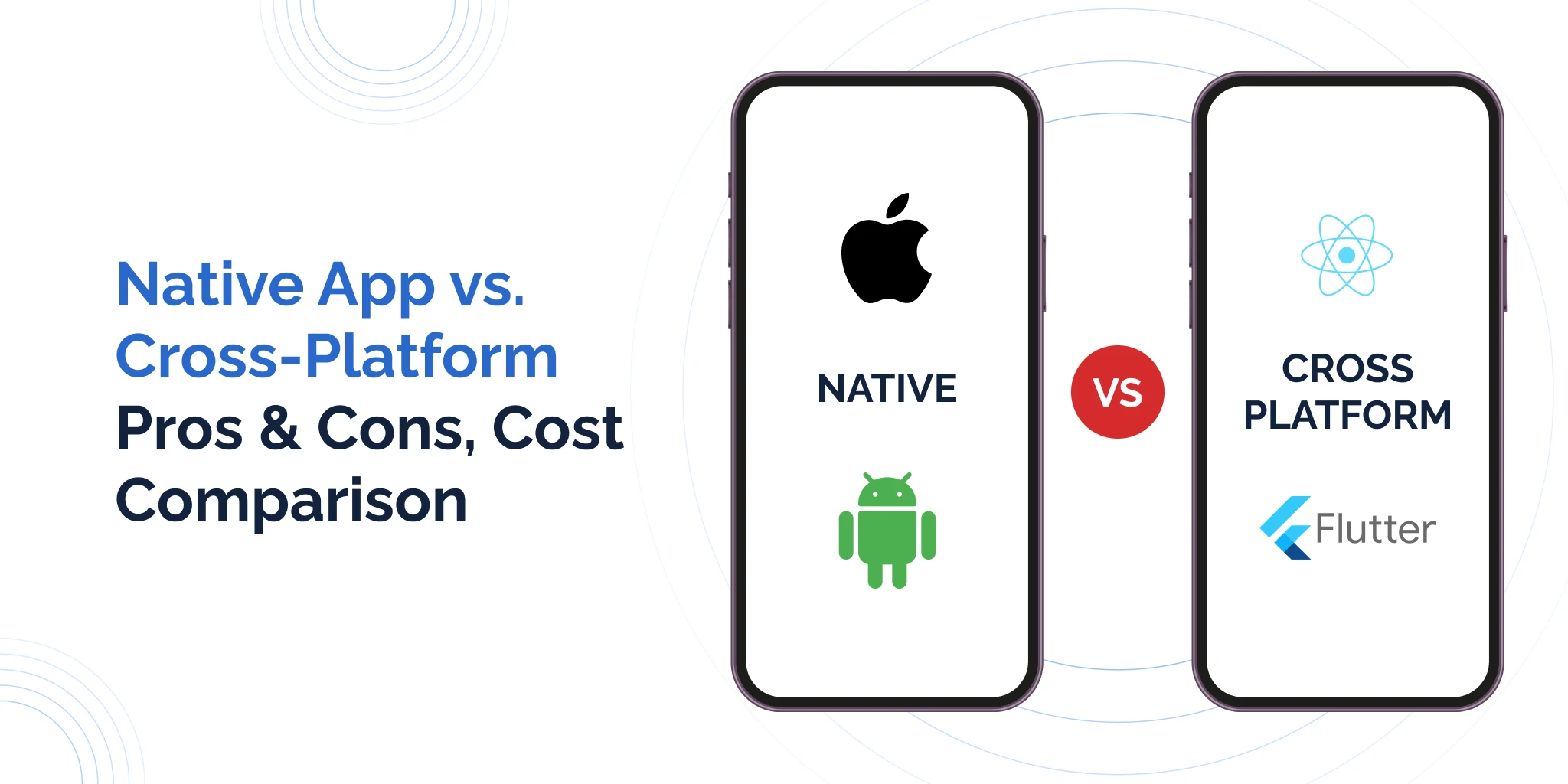
  • Native vs Cross-Platform App Development: A Complete Cost-Benefit Analysis

    Native vs Cross-Platform App Development: A Complete Cost-Benefit Analysis

    “Should we build native or go cross-platform?” This is one of the most critical decisions you’ll make when developing a mobile app—and it can mean the difference between spending $50,000 or $150,000, launching in 3 months or 9 months, and creating an app users love or one they delete after one use.

    The stakes are high. Choose wrong, and you’ll waste money, time, and opportunity. Choose right, and you’ll have a competitive advantage that drives business growth.

    At Katronix Technologies, we’ve built hundreds of mobile apps over 12+ years using both native and cross-platform approaches. We’ve seen businesses make costly mistakes and brilliant decisions. We’ve experienced firsthand what works, what doesn’t, and when each approach makes sense.

    This comprehensive guide eliminates the confusion. We’ll break down the real costs, actual performance differences, long-term implications, and provide a decision framework so you can choose the right approach for YOUR specific situation.

    Understanding the Approaches

    Native Development

    Building separate apps for each platform using platform-specific languages and tools.

    iOS Native:

    • Language: Swift (or Objective-C)
    • IDE: Xcode
    • Platform: Apple devices only

    Android Native:

    • Language: Kotlin (or Java)
    • IDE: Android Studio
    • Platform: Android devices only

    Key Characteristic: Two completely separate codebases, one for iOS and one for Android.

    Cross-Platform Development

    Building one app that works on both iOS and Android using a shared codebase.

    Popular Frameworks:

    React Native (Facebook/Meta)

    • Language: JavaScript/TypeScript
    • Based on React
    • Used by: Facebook, Instagram, Airbnb, Tesla

    Flutter (Google)

    • Language: Dart
    • Modern UI toolkit
    • Used by: Google Pay, Alibaba, BMW, eBay

    Xamarin (Microsoft)

    • Language: C#
    • .NET based
    • Used by: UPS, Alaska Airlines, Pinterest

    Key Characteristic: 60-95% code sharing between platforms.

    The Complete Cost Analysis

    Initial Development Costs

    Native Development

    Small App (Basic features, 10-15 screens):

    • iOS development: $30,000-50,000
    • Android development: $30,000-50,000
    • Total: $60,000-100,000
    • Timeline: 4-6 months

    Medium App (Moderate complexity, 20-30 screens):

    • iOS development: $60,000-100,000
    • Android development: $60,000-100,000
    • Total: $120,000-200,000
    • Timeline: 6-9 months

    Complex App (Advanced features, 30+ screens):

    • iOS development: $100,000-200,000+
    • Android development: $100,000-200,000+
    • Total: $200,000-400,000+
    • Timeline: 9-18 months

    Cross-Platform Development

    Small App:

    • Development: $25,000-40,000
    • Platform-specific adjustments: $5,000-10,000
    • Total: $30,000-50,000
    • Timeline: 2.5-4 months
    • Savings vs Native: 40-50%

    Medium App:

    • Development: $50,000-80,000
    • Platform-specific adjustments: $10,000-20,000
    • Total: $60,000-100,000
    • Timeline: 4-6 months
    • Savings vs Native: 40-50%

    Complex App:

    • Development: $90,000-150,000
    • Platform-specific adjustments: $20,000-50,000
    • Total: $110,000-200,000
    • Timeline: 6-12 months
    • Savings vs Native: 35-45%

    Ongoing Maintenance Costs

    Native Development (Annual)

    Small App:

    • iOS maintenance: $12,000-18,000
    • Android maintenance: $12,000-18,000
    • Total: $24,000-36,000/year

    Medium App:

    • iOS maintenance: $24,000-40,000
    • Android maintenance: $24,000-40,000
    • Total: $48,000-80,000/year

    Complex App:

    • iOS maintenance: $50,000-100,000+
    • Android maintenance: $50,000-100,000+
    • Total: $100,000-200,000+/year

    What Maintenance Includes:

    • OS updates compatibility
    • Bug fixes
    • Security patches
    • Performance optimization
    • Feature updates
    • Third-party library updates

    Cross-Platform Development (Annual)

    Small App: $15,000-25,000/year (38% less) Medium App: $30,000-50,000/year (38% less) Complex App: $60,000-120,000/year (40% less)

    5-Year Total Cost of Ownership

    Medium Complexity App Example:

    Native Approach:

    • Initial development: $170,000
    • 5 years maintenance: $320,000
    • Total 5-year cost: $490,000

    Cross-Platform Approach:

    • Initial development: $80,000
    • 5 years maintenance: $200,000
    • Total 5-year cost: $280,000

    Savings: $210,000 (43% less)

    The Hidden Costs

    Native Development Hidden Costs

    Duplication Inefficiency:

    • Every feature built twice
    • Every bug potentially exists twice
    • Every update implemented twice
    • Testing done twice

    Team Costs:

    • Need iOS AND Android developers (or two teams)
    • Higher salary requirements (specialized skills)
    • Communication overhead between teams
    • Potential inconsistencies between platforms

    Update Synchronization:

    • Coordinating simultaneous releases
    • Feature parity challenges
    • Testing both platforms
    • App store submission timing

    Cross-Platform Hidden Costs

    Framework Limitations:

    • Some native features require custom bridges
    • Framework updates may break code
    • Platform-specific bugs harder to debug
    • Potential performance optimization needs

    Learning Curve:

    • Team must learn framework (if new)
    • Different paradigms than native
    • Framework-specific quirks

    Platform-Specific Adjustments:

    • iOS and Android still have UX differences
    • Some features need platform-specific code
    • Testing on both platforms still required

    Performance Comparison

    Speed & Responsiveness

    Native Apps

    Strengths:

    • Direct access to device hardware
    • No abstraction layer overhead
    • Optimal for CPU-intensive tasks
    • Smoothest animations
    • Instant response times

    Performance Metrics:

    • App launch time: 1-2 seconds
    • Animation frame rate: Consistent 60 FPS
    • Complex calculations: 100% hardware utilization
    • Memory efficiency: Optimal

    Best For:

    • Gaming apps
    • Augmented reality
    • Video/photo editing
    • Complex animations
    • Real-time processing

    Cross-Platform Apps

    Modern Reality (2025):

    • Flutter: Near-native performance (95-98%)
    • React Native: Very good performance (90-95%)
    • Xamarin: Good performance (85-92%)

    Performance Metrics:

    • App launch time: 1.5-3 seconds
    • Animation frame rate: 55-60 FPS (typically imperceptible)
    • Complex calculations: 85-95% hardware utilization
    • Memory efficiency: Good to excellent

    The Truth: For 80-90% of apps, performance difference is imperceptible to users.

    When Performance Gap Matters:

    • High-frame-rate games
    • AR/VR applications
    • Video processing
    • Complex 3D graphics
    • Real-time data processing at scale

    When It Doesn’t:

    • Business apps
    • E-commerce
    • Social media
    • Content apps
    • Most utility apps

    User Experience Quality

    Native Apps

    Advantages:

    • Perfect adherence to platform guidelines
    • Latest OS features immediately available
    • Native UI components
    • Platform-specific interactions (iOS swipes, Android back button)
    • Feels “right” to platform users

    User Perception:

    • iOS users expect iOS patterns
    • Android users expect Material Design
    • Native apps feel most familiar

    Cross-Platform Apps

    Modern Capabilities:

    • Can implement platform-specific UX
    • Access to native UI components
    • Conditional rendering by platform
    • Platform-specific navigation patterns

    Challenges:

    • Requires extra effort for platform-specific UX
    • Default might look/feel similar on both platforms
    • Some subtle differences in behavior

    Reality: Well-built cross-platform apps are indistinguishable from native to most users.

    Examples of Excellent Cross-Platform Apps:

    • Google Pay (Flutter)
    • Instagram (React Native)
    • Alibaba (Flutter)
    • BMW (Flutter)
    • Tesla (React Native)

    Users don’t know (or care) these aren’t native.

    Development Speed Comparison

    Time to Market

    Native Development

    Small App: 4-6 months Medium App: 6-9 months Complex App: 9-18 months

    Why It Takes Longer:

    • Two separate codebases
    • Two separate testing cycles
    • Potential feature parity delays
    • Coordination overhead

    Cross-Platform Development

    Small App: 2.5-4 months (30-40% faster) Medium App: 4-6 months (35-45% faster) Complex App: 6-12 months (30-40% faster)

    Why It’s Faster:

    • Single codebase
    • Shared testing
    • Simultaneous platform updates
    • Less duplication

    Update & Iteration Speed

    Native Development

    Adding New Feature:

    • iOS implementation: 2-4 weeks
    • Android implementation: 2-4 weeks
    • Testing: 1-2 weeks
    • Total: 5-10 weeks

    Bug Fix:

    • Identify platform
    • Fix iOS or Android (or both)
    • Test both
    • Deploy separately
    • Time: 3-7 days per platform

    Cross-Platform Development

    Adding New Feature:

    • Shared implementation: 2-4 weeks
    • Platform-specific adjustments: 2-5 days
    • Testing: 1 week
    • Total: 3-5 weeks (40% faster)

    Bug Fix:

    • Fix once (usually)
    • Test both platforms
    • Deploy together
    • Time: 2-4 days (50% faster)

    MVP Development

    For Startups & New Products:

    Cross-platform is often ideal for MVP because:

    • 40-50% lower initial investment
    • 30-40% faster time to market
    • Test market fit on both platforms simultaneously
    • Easier to pivot and iterate
    • Save resources for marketing and customer acquisition

    After Product-Market Fit: Can rebuild native if performance becomes critical or you have budget.

    Feature Availability & Limitations

    What Both Can Do Well

    Common Features (No meaningful difference):

    • User authentication
    • Forms and data input
    • Lists and scrolling
    • Navigation
    • Network requests
    • Data storage
    • Push notifications
    • Camera access
    • Location services
    • Social media integration
    • Payment processing
    • Analytics

    Reality: 90% of business apps use only these common features.

    Native Advantages

    Better For:

    • Advanced camera features (RAW processing, manual controls)
    • Bluetooth Low Energy (BLE) at scale
    • Complex background processing
    • Cutting-edge AR/VR
    • Hardware-intensive games
    • Advanced audio processing
    • Wearable device integration
    • Home automation integration

    New OS Features:

    • Immediate access when iOS/Android releases
    • Cross-platform frameworks lag 3-12 months
    • Matters for apps relying on latest features

    Cross-Platform Limitations

    Potential Challenges:

    • New OS features require framework updates
    • Some advanced native APIs need custom bridges
    • Platform-specific hardware features may need native modules
    • Debugging platform-specific issues can be harder

    The Reality:

    • Modern frameworks cover 90%+ of use cases
    • Custom native modules can bridge gaps
    • Active communities provide solutions
    • Frameworks improve continuously

    Team & Talent Considerations

    Native Development

    Team Requirements:

    • iOS developer(s): Swift/Objective-C
    • Android developer(s): Kotlin/Java
    • Separate skillsets needed
    • Coordination between platforms

    Hiring Considerations:

    • iOS developers: $80,000-150,000/year (US)
    • Android developers: $75,000-140,000/year (US)
    • Need both skill sets
    • Specialized talent, competitive market

    Advantages:

    • Deep platform expertise
    • Better for platform-specific optimizations
    • Access to latest platform features immediately

    Challenges:

    • Higher salary costs (two specialists)
    • Knowledge silos
    • Coordination overhead
    • If one developer leaves, affects one platform

    Cross-Platform Development

    Team Requirements:

    • Cross-platform developers: JavaScript/Dart/C#
    • Can work on both platforms
    • Single team, shared knowledge

    Hiring Considerations:

    • React Native developers: $70,000-130,000/year (US)
    • Flutter developers: $75,000-135,000/year (US)
    • Xamarin developers: $75,000-140,000/year (US)
    • One skill set covers both platforms

    Advantages:

    • More efficient resource utilization
    • Easier knowledge transfer
    • Faster onboarding
    • More flexible team structure
    • Broader developer pool

    Challenges:

    • Less platform-specific depth
    • Framework expertise required
    • May need native specialists for complex features

    For Small Teams & Startups

    Cross-platform is often better because:

    • One developer can handle both platforms
    • Lower salary costs
    • Faster feature development
    • Easier to pivot
    • Better resource efficiency

    For Large Organizations

    Consider native when:

    • Have resources for multiple teams
    • Need absolute best performance
    • Platform-specific features critical
    • Long-term investment perspective
    • Quality more important than speed

    Long-Term Maintainability

    Code Maintainability

    Native Development

    Advantages:

    • Mature platforms with extensive documentation
    • Large communities
    • Stable APIs
    • Clear best practices
    • Abundant resources

    Challenges:

    • Two codebases to maintain
    • Duplication of effort
    • Keeping feature parity
    • Double the technical debt

    Cross-Platform Development

    Advantages:

    • Single codebase (easier to maintain)
    • Changes propagate to both platforms
    • Consistent behavior
    • One place to fix bugs

    Challenges:

    • Framework version updates
    • Breaking changes in major releases
    • Framework abandonment risk (low but exists)
    • Smaller community than native (but growing)

    Platform Updates

    Native Development

    iOS/Android OS Updates:

    • Direct access to new features
    • Immediate compatibility
    • Official documentation available
    • No framework dependency

    Annual Update Effort:

    • iOS: 1-2 weeks testing/fixing per major OS release
    • Android: 1-2 weeks testing/fixing per major OS release
    • Total: 2-4 weeks annually

    Cross-Platform Development

    iOS/Android OS Updates:

    • Framework must update first
    • Lag time: 2 weeks to 3 months typically
    • Usually smooth with mature frameworks
    • May require framework version upgrade

    Annual Update Effort:

    • Framework update: 1-2 weeks
    • Testing both platforms: 1-2 weeks
    • Total: 2-4 weeks annually (similar to native)

    Technical Debt

    Native Development

    Debt Accumulation:

    • Slower (mature platforms)
    • Two separate debt accumulations
    • More total debt (two codebases)

    Debt Payment:

    • Expensive (must fix twice)
    • Time-consuming
    • Can diverge between platforms

    Cross-Platform Development

    Debt Accumulation:

    • Framework evolution creates some debt
    • Single codebase = less total debt
    • Faster accumulation with breaking changes

    Debt Payment:

    • More efficient (fix once)
    • Faster resolution
    • Consistent across platforms

    Decision Framework: Which Should You Choose?

    Choose Native Development If:

    Performance-Critical Requirements:

    • [ ] High-frame-rate gaming (60+ FPS consistently)
    • [ ] Augmented/Virtual Reality
    • [ ] Real-time video/audio processing
    • [ ] Complex 3D graphics
    • [ ] Performance is top priority over cost

    Platform-Specific Features:

    • [ ] Heavy use of latest OS features
    • [ ] Deep integration with platform hardware
    • [ ] Wearable device integration
    • [ ] Platform-specific UI is critical
    • [ ] Advanced Bluetooth or hardware features

    Long-Term Investment:

    • [ ] 5+ year horizon
    • [ ] Large budget ($200K+)
    • [ ] Large development team available
    • [ ] Premium user experience justifies cost
    • [ ] Have both iOS and Android expertise

    Quality Over Speed:

    • [ ] Time to market not critical
    • [ ] Budget allows for dual development
    • [ ] Absolute best UX required
    • [ ] Brand reputation depends on quality

    Choose Cross-Platform Development If:

    Budget Conscious:

    • [ ] Limited budget (<$150K)
    • [ ] Need both iOS and Android
    • [ ] Want to minimize ongoing costs
    • [ ] Prefer to invest in features over platform-specific optimization

    Speed to Market:

    • [ ] Need MVP quickly (3-4 months)
    • [ ] Testing market fit
    • [ ] Competitive pressure
    • [ ] First-mover advantage matters

    Resource Constraints:

    • [ ] Small team
    • [ ] Limited technical expertise
    • [ ] Startup or SMB
    • [ ] Need efficiency

    Standard Features:

    • [ ] CRUD operations
    • [ ] Forms and data entry
    • [ ] Lists and navigation
    • [ ] API integration
    • [ ] Standard mobile features

    Iteration Speed Matters:

    • [ ] Frequent updates needed
    • [ ] A/B testing important
    • [ ] Agile development approach
    • [ ] Quick response to user feedback

    Real-World Case Studies

    Case Study 1: E-commerce App (Cross-Platform)

    Company: Mid-size fashion retailer Approach: React Native Budget: $65,000

    Decision Factors:

    • Limited budget
    • Need both platforms
    • Standard e-commerce features
    • 4-month deadline

    Results:

    • Launched on time and budget
    • Performance excellent (no user complaints)
    • 4.5-star average rating
    • Successful first year: $2.3M in app sales
    • Maintenance: $32,000/year

    ROI Analysis:

    • Native cost would have been: $140,000 + $60K/year maintenance
    • Actual cross-platform cost: $65,000 + $32K/year maintenance
    • 5-year savings: $215,000
    • Outcome: Right decision, reinvested savings in marketing

    Case Study 2: Fitness Gaming App (Native)

    Company: Startup gaming company Approach: Native iOS and Android Budget: $180,000

    Decision Factors:

    • Heavy graphics and animations
    • Real-time multiplayer
    • 60 FPS required
    • Premium experience critical

    Results:

    • Excellent performance
    • 4.8-star rating
    • Featured by Apple and Google
    • 500K+ downloads in year one
    • Industry award winner

    ROI Analysis:

    • Cross-platform cost would have been: $95,000
    • Savings: $85,000 initial development
    • Trade-off: Superior performance justified cost
    • Outcome: Premium experience drove adoption and revenue
    • Year 1 revenue: $1.2M (justified investment)

    Case Study 3: Field Service App (Cross-Platform)

    Company: HVAC service company Approach: Flutter Budget: $48,000

    Decision Factors:

    • Internal tool (not consumer-facing)
    • Need fast deployment
    • Small team
    • Standard features (scheduling, forms, GPS)

    Results:

    • Launched in 3 months
    • 95% technician adoption in 2 weeks
    • Productivity increased 35%
    • Paperwork reduced 80%
    • ROI achieved in 4 months

    ROI Analysis:

    • Operational savings: $120,000/year
    • Payback period: 4.8 months
    • Native would have cost: $95,000 + 3 more months
    • Outcome: Cross-platform was perfect choice
    • 3-year ROI: 648%

    Case Study 4: Banking App (Native)

    Company: Regional bank Approach: Native iOS and Android Budget: $320,000

    Decision Factors:

    • Security critical
    • Regulatory compliance
    • Integration with banking systems
    • Established brand
    • Large budget

    Results:

    • Bank-grade security
    • Smooth integration
    • 4.6-star rating
    • 80% customer adoption
    • Zero security incidents

    ROI Analysis:

    • Security and compliance justified cost
    • Customer satisfaction high
    • Mobile banking increased engagement 40%
    • Reduced branch traffic 25%
    • Outcome: Native was right for security and brand

    Framework-Specific Considerations

    React Native

    Best For:

    • Teams with React/JavaScript experience
    • Apps with dynamic content
    • Rapid prototyping
    • Startups

    Strengths:

    • Largest community
    • Most third-party packages
    • Hot reloading (fast development)
    • JavaScript ecosystem

    Weaknesses:

    • Slightly lower performance than Flutter
    • Bridge architecture can cause issues
    • More setup required

    Popular Apps: Instagram, Facebook, Airbnb, Tesla, Discord

    Flutter

    Best For:

    • Apps needing beautiful UI
    • Consistent look across platforms
    • When performance is important
    • Startups to enterprises

    Strengths:

    • Best performance among cross-platform
    • Beautiful, customizable UI
    • Single codebase for mobile, web, desktop
    • Growing rapidly

    Weaknesses:

    • Dart language (smaller community)
    • Larger app size
    • Newer (less mature than React Native)

    Popular Apps: Google Pay, Alibaba, BMW, eBay, Reflectly

    Xamarin

    Best For:

    • Microsoft ecosystem companies
    • Teams with C# experience
    • Enterprise applications
    • Need Windows integration

    Strengths:

    • Full .NET support
    • Good for enterprise
    • Microsoft backing
    • Strong Windows integration

    Weaknesses:

    • Smaller community
    • Slower updates
    • Larger app size
    • Less popular than React Native/Flutter

    Popular Apps: UPS, Alaska Airlines, Olo

    The Katronix Technologies Recommendation Framework

    With 12+ years building mobile apps, here’s our honest recommendation process:

    Our Questions for Clients

    Budget Reality Check:

    • What’s your total budget?
    • Is $150K+ available? → Native is an option
    • Is budget under $100K? → Cross-platform recommended

    Performance Requirements:

    • What’s the core functionality?
    • Is it performance-critical? (gaming, AR, video editing)
    • Standard business app? → Cross-platform fine

    Timeline Constraints:

    • When do you need to launch?
    • Under 6 months? → Cross-platform recommended
    • Time not critical? → Either option viable

    Team Capabilities:

    • Current technical expertise?
    • Team size?
    • Small team? → Cross-platform more efficient

    Long-Term Vision:

    • 2-3 year project? → Cross-platform often better
    • 5+ year massive app? → Native may be worth it
    • MVP first? → Definitely cross-platform

    Our Honest Recommendations

    80% of projects: Cross-platform (React Native or Flutter)

    • Better ROI
    • Faster to market
    • Easier to maintain
    • Performance sufficient

    15% of projects: Native

    • Performance truly critical
    • Massive budget
    • Platform-specific features essential
    • Long-term premium app

    5% of projects: Hybrid (start cross-platform, migrate later)

    • MVP cross-platform
    • Proven market fit
    • Then consider native for optimization

    Red Flags for Native

    Don’t choose native just because:

    • “Native is always better” (not true anymore)
    • “We want the best” (cross-platform can be excellent)
    • “We heard cross-platform is bad” (outdated information)
    • “Our competitor uses native” (irrelevant to your needs)

    Do choose native when:

    • Performance truly matters (data-driven decision)
    • Budget supports it ($200K+)
    • Have technical team for both platforms
    • Objective reasons, not assumptions

    Cost Optimization Strategies

    For Native Development

    Reduce Costs:

    1. Phased approach: Launch iOS first, then Android
    2. Offshore team: 40-60% cost reduction (quality varies)
    3. Hybrid team: Onshore lead + offshore developers
    4. Reuse architecture: Share backend, logic where possible
    5. Start small: MVP first, add features based on data

    For Cross-Platform Development

    Reduce Costs:

    1. Choose mature framework: React Native or Flutter
    2. Use UI libraries: Pre-built components
    3. Minimize native code: Stick to cross-platform features
    4. Clear requirements: Avoid scope creep
    5. Experienced team: Faster development = lower cost

    Making Your Decision

    The 5-Minute Decision Tree

    Question 1: Is your app heavy gaming, AR/VR, or real-time video processing?

    • YES → Native
    • NO → Continue

    Question 2: Is your budget under $100,000?

    • YES → Cross-platform
    • NO → Continue

    Question 3: Do you need to launch within 6 months?

    • YES → Cross-platform
    • NO → Continue

    Question 4: Is your app primarily standard business features (forms, lists, API calls)?

    • YES → Cross-platform
    • NO → Continue

    Question 5: Do you have budget over $200K and need absolute best performance?

    • YES → Native
    • NO → Cross-platform

    Result: If you reached here and answered NO to Q5 → Cross-platform is likely your best choice.

    Get Expert Guidance

    Choosing between native and cross-platform is critical and complex. The wrong choice costs time, money, and opportunity.

    Free App Strategy Consultation

    Katronix Technologies offers a complimentary mobile app strategy session including:

    What’s Included:

    • Detailed discussion of your requirements
    • Performance needs assessment
    • Budget optimization analysis
    • Native vs. cross-platform recommendation
    • Framework selection guidance (if cross-platform)
    • Accurate cost and timeline projections
    • Risk assessment
    • Technology roadmap

    What It Costs: Nothing ($0)

    What You’ll Get:

    • Clear recommendation backed by 12+ years experience
    • Honest assessment (we build both, no bias)
    • Specific to YOUR situation
    • Written summary with cost comparisons

    Why We Offer This Free: Because we’ve seen too many businesses make expensive mistakes. A 60-minute conversation can save $50,000-100,000+ and months of wasted time.

    Our Track Record

    • 200+ mobile apps built
    • Native apps: 40%
    • Cross-platform apps: 60%
    • Average client satisfaction: 4.8/5
    • On-time delivery: 92%
    • On-budget delivery: 89%

    We recommend what’s RIGHT for you, not what’s more profitable for us.

    Take the Next Step

    Don’t guess. Don’t follow trends. Don’t make a $100,000+ decision based on blog posts alone.

    Schedule your free strategy session with Katronix Technologies today. We’ll analyze your specific situation and provide honest, expert guidance on native vs. cross-platform development.

    Whether you choose native or cross-platform, we’ll ensure it’s the right decision for your business—backed by data, experience, and your specific requirements.

    Contact us now to begin building your mobile app the right way.


    Still unsure which approach is right for your app? Share your project details in the comments, and our mobile app experts will provide personalized recommendations!

  • Converting Website Visitors into Customers: A Data-Driven Approach

    Converting Website Visitors into Customers: A Data-Driven Approach

    Your website is getting traffic. Google Analytics shows hundreds or thousands of visitors each month. But here’s the painful question: How many are actually becoming customers?

    If you’re like most businesses, the answer is disappointing. The average website conversion rate is just 2.35%. That means 97.65% of your visitors leave without taking action—without buying, signing up, or even requesting information.

    Think about that. If you’re spending $5,000 monthly on marketing to drive 10,000 visitors, and only 235 convert, you’re essentially wasting $4,883 of your marketing budget.

    At Katronix Technologies, we’ve spent 12+ years optimizing websites for conversion, helping businesses transform their 2-3% conversion rates into 5%, 8%, even 12%+. The difference? A data-driven approach instead of guesswork.

    This comprehensive guide reveals the exact strategies, tools, and tactics that consistently double, triple, and even quadruple conversion rates—backed by real data and proven results.

    Understanding the Conversion Gap

    The Harsh Reality

    Average Conversion Rates by Industry:

    • E-commerce: 2-3%
    • B2B websites: 2.23%
    • SaaS: 3-5%
    • Lead generation: 2-4%
    • Professional services: 3-6%

    What This Means:

    • 10,000 visitors × 2.5% = 250 conversions
    • 10,000 visitors × 5% = 500 conversions (100% improvement)
    • 10,000 visitors × 10% = 1,000 conversions (300% improvement)

    The ROI Impact:

    • Current: 250 customers × $500 average value = $125,000
    • Improved: 1,000 customers × $500 = $500,000
    • Additional revenue: $375,000 (from same traffic!)

    Why Visitors Don’t Convert

    Top 10 Conversion Killers:

    1. Slow loading speed (53% abandon if >3 seconds)
    2. Unclear value proposition (visitors don’t understand what you do)
    3. Poor mobile experience (60% of traffic is mobile)
    4. Weak or missing CTAs (visitors don’t know what to do next)
    5. Too much friction (complicated forms, too many steps)
    6. Lack of trust signals (no reviews, testimonials, security badges)
    7. Confusing navigation (can’t find what they need)
    8. Generic, uninspiring content (doesn’t address pain points)
    9. No sense of urgency (no reason to act now)
    10. Pricing concerns (unclear pricing or perceived as too expensive)

    The good news? Each of these is fixable with data-driven optimization.

    The Data-Driven Conversion Framework

    Phase 1: Measure & Understand (Week 1-2)

    You can’t improve what you don’t measure. Start with comprehensive data collection.

    Essential Analytics Setup

    1. Google Analytics 4

    • Track page views and user flow
    • Monitor bounce rates by page
    • Measure time on site
    • Track goal completions
    • Analyze traffic sources

    2. Heatmapping Tools

    • See where users click
    • Track scroll depth
    • Identify ignored content
    • Spot confusing elements
    • Tools: Hotjar, Crazy Egg, Microsoft Clarity

    3. Session Recording

    • Watch actual user sessions
    • Identify frustration points
    • See where users get stuck
    • Understand behavior patterns
    • Tools: Hotjar, FullStory, Smartlook

    4. Form Analytics

    • Track form abandonment
    • Identify problematic fields
    • Measure completion time
    • See drop-off points
    • Tools: Formisimo, Zuko Analytics

    5. A/B Testing Platform

    • Test variations scientifically
    • Measure statistical significance
    • Run multiple experiments
    • Track long-term impact
    • Tools: Google Optimize, VWO, Optimizely

    Key Metrics to Track

    Conversion Metrics:

    • Overall conversion rate
    • Conversion rate by traffic source
    • Conversion rate by device
    • Conversion rate by landing page
    • Micro-conversion rates (email signup, downloads, etc.)

    Engagement Metrics:

    • Bounce rate (should be <50%)
    • Pages per session (higher = more engaged)
    • Average session duration
    • Exit pages (where people leave)

    User Experience Metrics:

    • Page load time (should be <3 seconds)
    • Time to interactive
    • Mobile vs. desktop performance
    • Form completion rate

    Data Analysis Questions

    Traffic Quality:

    • Which sources bring the highest-converting visitors?
    • What keywords drive converters vs. browsers?
    • Which pages have highest exit rates?

    User Behavior:

    • What path do converters take through the site?
    • Where do non-converters get stuck?
    • What content do converters engage with?

    Technical Issues:

    • Are there speed problems on key pages?
    • Do forms have technical errors?
    • Is mobile experience broken anywhere?

    Phase 2: Optimize Landing Pages (Week 3-6)

    Landing pages are your conversion battleground. Small improvements here create massive impact.

    The High-Converting Landing Page Formula

    Above the Fold (First 3 Seconds):

    1. Compelling Headline

    • Clear value proposition
    • Addresses visitor’s pain point
    • Benefits-focused (not feature-focused)

    Bad: “Cloud-Based CRM Software” Good: “Close 30% More Deals with Less Manual Work”

    2. Supporting Subheadline

    • Elaborates on headline
    • Adds credibility or specificity
    • Creates interest

    Example: “Join 5,000+ sales teams using our automated CRM to streamline follow-ups, track deals, and grow revenue—without adding headcount.”

    3. Visual That Reinforces Message

    • Hero image or product screenshot
    • Video demonstration
    • Shows product in action or results

    Data: Landing pages with relevant images convert 40% better than text-only pages.

    4. Clear, Compelling CTA

    • Action-oriented button text
    • Contrasting color
    • Prominent placement
    • Creates urgency or value

    Weak CTAs: “Submit,” “Learn More,” “Click Here” Strong CTAs: “Get My Free Audit,” “Start My 14-Day Trial,” “Show Me How”

    Data: Personalized CTAs convert 202% better than generic ones.

    Below the Fold Content Strategy

    5. Social Proof Section

    • Customer testimonials with photos
    • Case study results
    • Client logos
    • Review ratings
    • Usage statistics

    Data: 88% of consumers trust online reviews as much as personal recommendations.

    Example Structure:

    "Since implementing [Product], we've increased revenue by 47% 
    while cutting our sales cycle in half."
    - John Smith, CEO, TechCorp
    [Photo] [Logo]
    

    6. Benefits (Not Features)

    • Address specific pain points
    • Show tangible outcomes
    • Use bullet points for scannability
    • Include supporting data when possible

    Feature-Focused (Weak):

    • “Cloud-based storage”
    • “24/7 access”
    • “Mobile app included”

    Benefit-Focused (Strong):

    • “Never lose client data again—automatic backup every 5 minutes”
    • “Close deals from anywhere—works on any device”
    • “Respond to leads instantly—even on weekends”

    7. Trust Signals

    • Security badges (SSL, payment processors)
    • Industry certifications
    • Awards and recognition
    • Press mentions
    • Money-back guarantee
    • Privacy policy link

    Data: Trust badges increase conversions by 42% on average.

    8. Objection Handling

    • FAQ section
    • Risk reversal (guarantee, free trial)
    • Pricing transparency
    • Support information

    9. Multiple CTAs

    • Above fold (primary)
    • Mid-page (after benefits)
    • Bottom of page (final chance)
    • Sticky header (always visible)

    Data: Pages with multiple CTAs convert 20-35% better.

    Landing Page Optimization Checklist

    Speed Optimization:

    • [ ] Page loads in <3 seconds
    • [ ] Images optimized and compressed
    • [ ] CSS and JavaScript minified
    • [ ] Lazy loading implemented

    Mobile Optimization:

    • [ ] Responsive design
    • [ ] Touch-friendly buttons (min 44×44 pixels)
    • [ ] Readable text without zooming
    • [ ] Fast mobile loading

    Content Optimization:

    • [ ] Clear value proposition
    • [ ] Benefit-focused copy
    • [ ] Compelling headlines
    • [ ] Scannable formatting (bullets, headers)
    • [ ] Reduced jargon

    Conversion Elements:

    • [ ] Strong, visible CTAs
    • [ ] Minimal form fields
    • [ ] Trust badges and security
    • [ ] Social proof prominent
    • [ ] No navigation distractions

    Testing:

    • [ ] Forms work perfectly
    • [ ] CTAs function properly
    • [ ] All links work
    • [ ] Displays correctly on all devices
    • [ ] No JavaScript errors

    Phase 3: Reduce Friction (Week 7-10)

    Every extra click, field, or second is a conversion killer. Ruthlessly eliminate friction.

    Form Optimization

    The Painful Truth:

    • 80% of users abandon forms they start
    • Each additional form field decreases conversions by 11%
    • Forms with >6 fields see 50% fewer completions

    Best Practices:

    1. Minimize Required Fields

    • Ask only for essential information
    • Email only? Consider it for lead gen
    • Can you get more info later? Do it

    Example Reduction: Before (8 fields, 45% abandonment):

    • First name, Last name, Email, Phone, Company, Job title, Company size, Comments

    After (3 fields, 18% abandonment):

    • Name, Email, Company

    Result: 147% increase in completions

    2. Use Smart Defaults

    • Pre-select common options
    • Use geolocation for country/region
    • Remember returning visitor data

    3. Clear Field Labels

    • Above or inside fields
    • Explain unusual requirements
    • Show format examples

    4. Real-Time Validation

    • Instant error checking
    • Positive reinforcement for correct entries
    • Clear error messages

    5. Progress Indicators

    • For multi-step forms
    • Show how many steps remain
    • Save progress capability

    Data: Progress bars increase form completion by 28%.

    6. Reduce Perceived Effort

    • Break long forms into steps
    • Use conditional logic (show relevant fields only)
    • Implement autocomplete
    • Allow social login

    Checkout Optimization (E-commerce)

    The Cart Abandonment Crisis:

    • Average abandonment rate: 69.8%
    • Mobile abandonment: 85.6%
    • Lost revenue: $18 billion annually

    Optimization Strategies:

    1. Guest Checkout Option

    • Don’t force account creation
    • 24% of users abandon due to forced registration
    • Offer to save info AFTER purchase

    2. Display Total Cost Early

    • Show shipping early or offer calculator
    • Display taxes upfront
    • No surprise fees at final step

    3. Multiple Payment Options

    • Credit/debit cards
    • PayPal, Apple Pay, Google Pay
    • Buy-now-pay-later (Klarna, Afterpay)

    4. One-Page Checkout

    • Reduces abandonment by 20-30%
    • Shows all information at once
    • Faster perceived completion time

    5. Exit-Intent Offers

    • Detect abandonment
    • Offer discount or free shipping
    • Capture email for follow-up

    Data: Exit-intent popups recover 10-15% of abandoning visitors.

    6. Persistent Cart

    • Save carts across devices
    • Send cart reminder emails
    • Enable easy cart recovery

    7. Security & Trust

    • SSL certificate (HTTPS)
    • Security badges
    • Accepted payment logos
    • Money-back guarantee

    Phase 4: Implement Persuasion Psychology (Week 11-14)

    Data-driven doesn’t mean emotionless. Psychological triggers significantly impact conversion.

    The 7 Persuasion Principles for Conversion

    1. Scarcity

    • Limited quantity: “Only 5 left in stock”
    • Time limitation: “Sale ends in 2 hours”
    • Exclusive access: “Available to first 100 customers”

    Data: Scarcity messaging increases conversions by 226%.

    Implementation:

    • Real-time inventory counters
    • Countdown timers
    • Limited-slot offers
    • Seasonal/event-based urgency

    Warning: Only use real scarcity. False scarcity damages trust.

    2. Social Proof

    • Customer count: “Join 50,000+ users”
    • Recent activity: “23 people viewing this now”
    • Reviews and ratings
    • User testimonials
    • Case studies

    Data: 92% of consumers read reviews before buying.

    Implementation:

    • Display review count and average rating prominently
    • Show recent customer activity
    • Feature video testimonials
    • Include client logos (B2B)

    3. Authority

    • Industry expertise
    • Certifications and credentials
    • Media mentions
    • Awards and recognition
    • Years in business

    Data: Authority signals increase conversions by 35%.

    4. Reciprocity

    • Free trials
    • Free tools or resources
    • Educational content
    • Free shipping
    • Money-back guarantee

    Psychology: People feel obligated to give back when they receive value.

    5. Commitment & Consistency

    • Multi-step processes
    • Micro-commitments
    • Progress indicators
    • “You’re almost there” messaging

    Data: Multi-step forms convert 300% better than single-step forms (when properly implemented).

    6. Liking

    • Personalization
    • Relatable brand voice
    • User-generated content
    • Community building

    7. Loss Aversion

    • “Don’t miss out” messaging
    • Abandoned cart emails
    • Risk reversal (guarantee)
    • Free trial (no credit card)

    Psychology: People are 2x more motivated to avoid loss than to achieve gain.

    Phase 5: Personalization & Segmentation (Week 15-18)

    Generic experiences convert poorly. Personalization can improve conversions by 202%.

    Personalization Strategies

    1. Traffic Source Personalization

    Organic Search Visitors:

    • Show educational content
    • Longer-form information
    • Comparison guides
    • Assume research phase

    Paid Search Visitors:

    • Direct to offer
    • Clear value proposition
    • Strong CTA
    • Assume buying intent

    Social Media Visitors:

    • Visual content
    • Social proof
    • Shareable elements
    • Community aspects

    Direct Visitors:

    • Returning customers
    • Show new products/features
    • Account access prominent
    • Personalized recommendations

    2. Geographic Personalization

    • Local language
    • Regional pricing/currency
    • Local testimonials
    • Relevant product selection
    • Local shipping information

    3. Device Personalization

    • Mobile: Simplified design, click-to-call
    • Desktop: More information, complex comparisons
    • Tablet: Hybrid approach

    4. Behavioral Personalization

    • First-time visitors: Education focus
    • Return visitors: Product focus
    • High-intent behavior: Aggressive CTA
    • Cart abandoners: Recovery messaging

    5. Industry/Role Personalization (B2B)

    • Industry-specific case studies
    • Role-based content
    • Relevant use cases
    • Appropriate messaging

    Implementation Tools:

    • Dynamic content (Optimizely, VWO)
    • Marketing automation (HubSpot, Marketo)
    • Personalization engines (Dynamic Yield, Evergage)
    • Custom development

    Phase 6: Advanced Conversion Tactics (Week 19-24)

    1. Live Chat & Chatbots

    Data:

    • 44% of consumers say live chat is most important website feature
    • 38% of consumers purchase after positive chat interaction
    • Response within 1 minute increases conversions by 391%

    Implementation:

    • Proactive chat triggers (30 seconds on page, exit intent)
    • 24/7 AI chatbot for basic questions
    • Human handoff for complex issues
    • Lead capture when offline

    ROI: Typically 300-500% return on investment.

    2. Video Content

    Data:

    • Landing pages with video convert 80% better
    • 85% more likely to purchase after watching product video
    • Average 2-3 minutes longer time on site

    Video Types:

    • Explainer videos (2-3 minutes)
    • Product demonstrations
    • Customer testimonials
    • Behind-the-scenes
    • Founder message

    3. Comparison Pages

    For B2B & SaaS:

    • “Us vs. Competitor” pages
    • Feature comparison tables
    • Pricing comparisons
    • Migration guides

    Data: Comparison pages convert at 2-3x average rate.

    4. Interactive Tools

    Examples:

    • ROI calculators
    • Product configurators
    • Cost estimators
    • Assessment tools
    • Quizzes

    Data: Interactive content generates 2x more conversions than passive content.

    5. Retargeting Campaigns

    Strategy:

    • Website visitors (general)
    • Specific page visitors
    • Cart abandoners
    • Email non-openers
    • Video viewers

    Data: Retargeted visitors are 70% more likely to convert.

    Phase 7: Continuous Testing & Optimization (Ongoing)

    Conversion optimization never ends. The best-converting sites test constantly.

    What to Test

    High-Impact Tests:

    • Headline variations
    • CTA button text and color
    • Page layout and design
    • Form length and fields
    • Pricing presentation
    • Trust signals placement

    Medium-Impact Tests:

    • Images and videos
    • Copy length and style
    • Navigation structure
    • Guarantee terms
    • Testimonial selection

    Lower-Impact Tests:

    • Button shape
    • Font choices
    • Color scheme
    • Footer content

    Testing Best Practices

    1. Test One Variable at a Time

    • Isolate what’s causing change
    • Clear attribution
    • Faster learning

    2. Achieve Statistical Significance

    • Minimum 95% confidence level
    • Adequate sample size (usually 1,000+ conversions)
    • Run tests 1-4 weeks minimum

    3. Account for Variability

    • Day of week effects
    • Seasonal factors
    • Traffic source changes
    • External events

    4. Document Everything

    • Test hypothesis
    • Test results
    • Key learnings
    • Next steps

    5. Implement Winners Permanently

    • Don’t revert winning variations
    • Build on successes
    • Create compounding improvements

    Real-World Conversion Success Stories

    Case Study 1: E-commerce Fashion Retailer

    Starting Point:

    • Conversion rate: 1.8%
    • Monthly visitors: 45,000
    • Monthly revenue: $121,500

    Changes Implemented:

    1. Improved product photography (lifestyle images)
    2. Added size guide and fit videos
    3. Implemented exit-intent popup (10% discount)
    4. Reduced checkout from 5 pages to 1
    5. Added guest checkout option
    6. Displayed customer reviews prominently
    7. Added live chat
    8. Mobile optimization

    Results After 6 Months:

    • Conversion rate: 4.2% (133% increase)
    • Monthly visitors: 48,000 (organic growth)
    • Monthly revenue: $302,400 (149% increase)
    • Annual additional revenue: $2,170,800

    ROI: Investment of $32,000 yielded $2.17M additional revenue (6,790% ROI)

    Case Study 2: B2B SaaS Company

    Starting Point:

    • Trial signup rate: 2.1%
    • Monthly visitors: 12,000
    • Monthly trial signups: 252
    • Trial-to-paid conversion: 18%
    • Monthly new customers: 45

    Changes Implemented:

    1. Rewrote value proposition (benefit-focused)
    2. Added interactive ROI calculator
    3. Featured video testimonials from recognizable brands
    4. Simplified signup form (8 fields → 3 fields)
    5. Added comparison page vs. top competitors
    6. Implemented personalization by industry
    7. Created urgency with limited onboarding slots

    Results After 4 Months:

    • Trial signup rate: 5.8% (176% increase)
    • Monthly visitors: 13,500
    • Monthly trial signups: 783
    • Trial-to-paid conversion: 24% (also improved)
    • Monthly new customers: 188 (318% increase)

    Revenue Impact:

    • Average customer value: $3,200 annually
    • Previous monthly new MRR: $12,000
    • New monthly new MRR: $50,133
    • Annual additional revenue: $457,596

    ROI: Investment of $48,000 yielded $457K additional annual revenue (854% ROI)

    Case Study 3: Professional Services Firm

    Starting Point:

    • Contact form completion rate: 1.4%
    • Monthly visitors: 8,500
    • Monthly leads: 119
    • Lead-to-client conversion: 22%
    • Monthly new clients: 26

    Changes Implemented:

    1. Added client success stories with ROI data
    2. Simplified contact form (9 fields → 4 fields)
    3. Implemented exit-intent with free consultation offer
    4. Added live chat for immediate questions
    5. Created industry-specific landing pages
    6. Displayed credentials and awards prominently
    7. Added video introduction from founder
    8. Improved mobile experience

    Results After 5 Months:

    • Contact form completion: 4.1% (193% increase)
    • Monthly visitors: 9,200
    • Monthly leads: 377
    • Lead-to-client conversion: 28% (improved nurturing)
    • Monthly new clients: 106 (308% increase)

    Revenue Impact:

    • Average project value: $12,500
    • Previous monthly new revenue: $325,000
    • New monthly new revenue: $1,325,000
    • Annual additional revenue: $12,000,000

    ROI: Investment of $38,000 yielded $12M additional annual revenue (31,479% ROI)

    The Katronix Technologies Conversion Optimization Process

    With 12+ years optimizing hundreds of websites, we’ve developed a proven system that consistently doubles or triples conversion rates.

    Our 6-Phase Methodology

    Phase 1: Comprehensive Audit (Week 1-2)

    • Analytics deep-dive
    • Heatmap and session recording analysis
    • Conversion funnel review
    • Competitor benchmarking
    • Technical performance assessment
    • User experience evaluation

    Deliverable: Detailed audit report with prioritized recommendations and projected impact.

    Phase 2: Quick Wins Implementation (Week 3-4)

    • Fix critical issues
    • Implement high-impact, low-effort improvements
    • Generate immediate ROI
    • Build momentum

    Typical Quick Wins:

    • Speed optimization: 30-50% conversion lift
    • Form reduction: 20-40% completion increase
    • Mobile fixes: 25-45% mobile conversion improvement
    • CTA improvements: 15-30% click-through increase

    Phase 3: Strategic Redesign (Week 5-10)

    • Landing page optimization
    • Checkout flow improvement
    • Navigation restructuring
    • Content rewriting
    • Trust signal implementation

    Phase 4: Advanced Features (Week 11-14)

    • Personalization setup
    • Live chat implementation
    • Video content integration
    • Interactive tools development
    • Marketing automation

    Phase 5: Testing & Optimization (Week 15-20)

    • A/B testing implementation
    • Systematic experimentation
    • Data analysis and iteration
    • Continuous improvement

    Phase 6: Ongoing Optimization (Continuous)

    • Monthly performance reviews
    • Quarterly strategy updates
    • Continuous testing
    • New feature implementation
    • Industry best practice updates

    What Sets Us Apart

    1. Data-Driven Decision Making

    • No guesswork or opinions
    • Every change backed by data
    • Continuous measurement
    • Transparent reporting

    2. Proven Track Record

    • Average conversion improvement: 175%
    • Best result: 423% conversion increase
    • 94% of clients see 100%+ improvement
    • Industry expertise across 15+ sectors

    3. Holistic Approach

    • Not just design or just copy
    • Full-funnel optimization
    • Technical + psychological + strategic
    • Long-term sustainable results

    4. Risk-Free Testing

    • A/B testing minimizes risk
    • Always keep current version live
    • Only implement proven winners
    • Continuous safety net

    5. Transparent Communication

    • Weekly progress updates
    • Real-time dashboard access
    • Clear explanation of changes
    • Collaborative approach

    Our Results Speak

    • 200+ websites optimized
    • Average conversion improvement: 175%
    • Median payback period: 2.3 months
    • Client satisfaction: 4.9/5 stars
    • Client retention: 87% year-over-year

    Getting Started: Your Conversion Optimization Roadmap

    Step 1: Benchmark Your Current Performance

    Measure:

    • Overall conversion rate
    • Conversion rate by traffic source
    • Conversion rate by device
    • Bounce rate
    • Form completion rate

    Tools Needed:

    • Google Analytics (free)
    • Heatmapping tool (Hotjar free tier)
    • Form analytics

    Step 2: Identify Your Biggest Leaks

    Look for:

    • High-traffic, low-converting pages
    • High abandonment forms
    • High exit rate pages
    • Mobile performance issues
    • Slow-loading pages

    Step 3: Implement Quick Wins

    Priority fixes (do these first):

    1. Speed optimization
    2. Mobile improvements
    3. CTA clarity
    4. Form simplification
    5. Trust signals

    Expected timeline: 2-4 weeks Expected impact: 30-60% conversion improvement

    Step 4: Plan Strategic Improvements

    Focus areas:

    • Landing page redesigns
    • Checkout optimization
    • Content rewriting
    • Personalization
    • Advanced features

    Timeline: 2-4 months Expected impact: Additional 50-100% improvement

    Step 5: Establish Testing Culture

    Ongoing:

    • Monthly A/B tests
    • Quarterly strategic reviews
    • Continuous monitoring
    • Industry best practice updates

    Take Action Today

    Every day you delay optimization is another day of lost revenue. With the average website converting at just 2.35%, even small improvements create massive impact.

    Get Your Free Conversion Audit

    Katronix Technologies offers a complimentary conversion optimization audit that includes:

    What’s Included:

    • Complete analytics review
    • Heatmap and behavior analysis
    • Conversion funnel assessment
    • Mobile experience evaluation
    • Speed performance testing
    • Competitor benchmarking
    • Prioritized recommendations with projected impact
    • 90-day optimization roadmap

    What It Costs: $0 (Completely free, no strings attached)

    What You’ll Learn:

    • Exactly where you’re losing conversions
    • Your biggest opportunities for improvement
    • Expected ROI from optimization
    • Specific, actionable next steps

    What It Takes: One 60-minute call + 1 week for detailed analysis

    Ready to Double Your Conversion Rate?

    Stop accepting 2-3% conversion rates. Stop watching 97% of your visitors leave without converting. Stop leaving money on the table.

    Schedule your free conversion audit today and discover how to turn more visitors into customers without spending more on traffic.

    With proven strategies, data-driven decisions, and 12+ years of experience, Katronix Technologies will help you achieve conversion rates that transform your business.

    Contact us now to begin your conversion optimization journey. Your competitors are already optimizing—don’t fall behind.


    What’s your current conversion rate? Share in the comments, and we’ll provide free, specific recommendations for your website!

  • The ROI of Digital Transformation: What to Expect

    The ROI of Digital Transformation: What to Expect

    “Digital transformation is expensive.” “We can’t afford to modernize right now.” “The ROI is too uncertain.”

    These are common concerns we hear from business leaders at Katronix Technologies. And they’re not wrong to be cautious—digital transformation requires significant investment of time, money, and resources.

    But here’s what many don’t realize: the cost of NOT transforming is far higher than the investment required.

    After 12+ years of guiding businesses through digital transformation, we’ve seen consistent patterns in ROI, timelines, and outcomes. In this comprehensive guide, we’ll break down exactly what you can expect from digital transformation—the good, the challenging, and the profitable.

    What is Digital Transformation?

    Digital transformation isn’t just about buying new software or building a website. It’s the fundamental reimagining of how your business operates using digital technologies.

    Core Components

    Technology Infrastructure

    • Cloud computing and storage
    • Automation tools and platforms
    • Modern software systems
    • Data analytics capabilities
    • AI and machine learning integration

    Business Processes

    • Workflow automation
    • Data-driven decision making
    • Digital customer experiences
    • Integrated systems and platforms
    • Agile operations

    Organizational Culture

    • Digital-first mindset
    • Continuous innovation
    • Data literacy
    • Change adaptability
    • Customer-centric focus

    Customer Experience

    • Omnichannel engagement
    • Personalized interactions
    • Self-service options
    • Real-time support
    • Seamless transactions

    The Business Case: Why Digital Transformation Pays Off

    The Compelling Statistics

    • Companies embracing digital transformation see 45% revenue growth on average
    • 89% of enterprises have adopted or plan to adopt a digital-first strategy
    • Digitally mature companies are 26% more profitable than competitors
    • ROI typically ranges from 250% to 500% within 3-5 years
    • Productivity gains average 40-60% in transformed processes
    • Customer satisfaction increases by 20-30% post-transformation

    The Cost of Inaction

    While transformation requires investment, staying stagnant is more expensive:

    • Lost market share to digitally-savvy competitors
    • Declining efficiency as manual processes scale poorly
    • Customer attrition to businesses offering better digital experiences
    • Talent challenges as skilled workers seek modern workplaces
    • Regulatory compliance issues with outdated systems
    • Security vulnerabilities in legacy infrastructure

    Example: A mid-sized manufacturer delayed digital transformation for 3 years to “save money.” Result: Lost $2.3M in contracts to competitors with better digital ordering systems, spent $800K on emergency system upgrades after a security breach, and saw 15% employee turnover seeking modern workplaces. Total cost of delay: $3.8M+

    Breaking Down the ROI: What You Can Expect

    Timeline Overview

    Digital transformation isn’t instant, but ROI begins appearing quickly:

    Months 1-3: Planning & Quick Wins

    • ROI: 50-100% (from quick wins)
    • Focus: Strategy, assessment, low-hanging fruit

    Months 4-12: Implementation & Early Returns

    • ROI: 100-200%
    • Focus: Major system deployments, process changes

    Year 2-3: Optimization & Scaling

    • ROI: 250-400%
    • Focus: Refining processes, expanding initiatives

    Year 3-5: Maturity & Compound Benefits

    • ROI: 400-700%+
    • Focus: Innovation, competitive advantages

    Investment Breakdown

    Small Business ($1M-10M revenue)

    • Investment: $50,000-250,000
    • Timeline: 6-18 months
    • Expected ROI: 300-500% over 3 years

    Mid-Size Business ($10M-100M revenue)

    • Investment: $250,000-1,500,000
    • Timeline: 12-24 months
    • Expected ROI: 250-450% over 3-5 years

    Enterprise ($100M+ revenue)

    • Investment: $1M-10M+
    • Timeline: 18-36 months
    • Expected ROI: 200-400% over 5 years

    ROI by Transformation Area

    1. Process Automation

    Investment: $20,000-200,000 Timeline: 2-6 months ROI: 300-600%

    Typical Results:

    • 60-80% reduction in manual data entry
    • 40-70% decrease in processing time
    • 90%+ reduction in errors
    • 50-80% improvement in employee productivity

    Example: Manufacturing company automated order processing and inventory management.

    • Investment: $85,000
    • Annual savings: $180,000 (labor + error reduction)
    • Payback: 5.7 months
    • 3-year ROI: 535%

    2. Cloud Migration

    Investment: $30,000-500,000 Timeline: 3-9 months ROI: 200-400%

    Typical Results:

    • 30-50% reduction in IT costs
    • 99.9%+ uptime vs. 95-98% on-premise
    • 50-70% faster deployment of new capabilities
    • 40-60% improvement in scalability

    Example: Professional services firm moved to cloud infrastructure.

    • Investment: $120,000
    • Annual savings: $65,000 (hardware, maintenance, energy)
    • Additional revenue: $95,000 (improved uptime, faster delivery)
    • 3-year ROI: 300%

    3. Customer Experience Enhancement

    Investment: $50,000-500,000 Timeline: 4-12 months ROI: 250-500%

    Typical Results:

    • 20-35% increase in customer satisfaction
    • 15-30% improvement in conversion rates
    • 25-40% reduction in customer service costs
    • 30-50% increase in customer lifetime value

    Example: E-commerce business implemented personalization, chatbot, and mobile optimization.

    • Investment: $150,000
    • Revenue increase: $425,000 annually (better conversion + retention)
    • Cost savings: $80,000 (automated support)
    • 3-year ROI: 910%

    4. Data Analytics & Business Intelligence

    Investment: $40,000-400,000 Timeline: 3-8 months ROI: 400-800%

    Typical Results:

    • 25-40% better decision accuracy
    • 30-50% faster decision-making
    • 15-25% increase in revenue from insights
    • 20-35% reduction in wasted spending

    Example: Retail chain implemented analytics platform for inventory and pricing.

    • Investment: $200,000
    • Inventory optimization savings: $280,000 annually
    • Revenue increase from pricing optimization: $380,000 annually
    • 3-year ROI: 890%

    5. E-commerce & Digital Channels

    Investment: $75,000-750,000 Timeline: 4-10 months ROI: 300-600%

    Typical Results:

    • New revenue channel (often 20-40% of total revenue within 2 years)
    • 24/7 sales capability
    • Expanded geographic reach
    • Lower customer acquisition costs

    Example: B2B distributor launched e-commerce platform.

    • Investment: $280,000
    • Year 1 online revenue: $850,000
    • Year 2 online revenue: $1.9M
    • Year 3 online revenue: $3.2M
    • 3-year ROI: 1,843%

    6. Mobile Solutions

    Investment: $50,000-300,000 Timeline: 3-8 months ROI: 200-450%

    Typical Results:

    • 25-40% increase in field worker productivity
    • 30-50% faster service delivery
    • 20-35% improvement in customer satisfaction
    • 15-25% reduction in operational costs

    Example: Service company deployed mobile app for technicians.

    • Investment: $120,000
    • Annual productivity gains: $190,000
    • Reduced paperwork/admin: $45,000
    • Improved customer satisfaction led to 15% more repeat business: $180,000
    • 3-year ROI: 937%

    7. CRM & Marketing Automation

    Investment: $30,000-300,000 Timeline: 2-6 months ROI: 300-700%

    Typical Results:

    • 25-40% increase in lead conversion
    • 30-50% improvement in sales productivity
    • 20-35% higher customer retention
    • 40-60% reduction in marketing costs per acquisition

    Example: SaaS company implemented comprehensive CRM and automation.

    • Investment: $95,000
    • Sales productivity increase: $280,000 annually
    • Marketing efficiency gains: $120,000 annually
    • Improved retention value: $180,000 annually
    • 3-year ROI: 1,737%

    8. Cybersecurity Enhancement

    Investment: $40,000-400,000 Timeline: 2-6 months ROI: Preventative (but critical)

    Typical Results:

    • 70-90% reduction in security incidents
    • Compliance with regulations
    • Protection from average breach cost ($4.45M per IBM)
    • Customer trust and reputation protection

    ROI Calculation: Unlike other areas, cybersecurity ROI is measured by avoided losses.

    • Average data breach cost: $4.45M
    • Average ransomware payment: $220,000
    • Downtime costs: $5,600 per minute on average
    • Investment in security: $150,000
    • Potential avoided losses: $4.5M+
    • ROI: Incalculable (prevents catastrophic loss)

    Real-World Transformation Case Studies

    Case Study 1: Manufacturing Company ($15M Revenue)

    Challenge:

    • Manual processes causing errors and delays
    • Inability to scale with demand
    • Customer complaints about order tracking
    • High operational costs

    Transformation Investment: $280,000

    Initiatives:

    • ERP system implementation
    • Automated inventory management
    • Customer portal for order tracking
    • IoT sensors for equipment monitoring
    • Data analytics dashboard

    Timeline: 14 months

    Results Year 1:

    • Operational costs reduced: $180,000
    • Error-related losses eliminated: $95,000
    • Capacity increased 35% without headcount increase
    • Customer satisfaction: 3.2 → 4.5 stars

    Results Year 3:

    • Revenue increased from $15M to $21M (40% growth)
    • Profit margins improved from 8% to 14%
    • Won 3 major contracts due to digital capabilities
    • Staff productivity increased 55%

    3-Year ROI: 614%

    Payback Period: 11 months

    Case Study 2: Professional Services Firm ($8M Revenue)

    Challenge:

    • Inefficient project management
    • Poor visibility into profitability by project
    • Manual time tracking and billing
    • Limited ability to work remotely

    Transformation Investment: $145,000

    Initiatives:

    • Cloud-based project management system
    • Automated time tracking and billing
    • Client portal
    • Document management system
    • Mobile apps for field work
    • Video conferencing infrastructure

    Timeline: 9 months

    Results Year 1:

    • Billing cycle reduced from 45 to 7 days (improved cash flow)
    • Administrative time reduced 60%
    • Project profitability increased 22%
    • Client satisfaction improved 28%

    Results Year 3:

    • Revenue grew from $8M to $11.5M
    • Profit margins improved from 12% to 19%
    • Successfully opened 2 new locations (cloud enabled)
    • Employee satisfaction increased (remote work flexibility)

    3-Year ROI: 483%

    Payback Period: 8 months

    Case Study 3: Retail Business ($35M Revenue)

    Challenge:

    • Losing market share to online competitors
    • Disconnected systems (POS, inventory, e-commerce)
    • No customer data/insights
    • Inefficient inventory management

    Transformation Investment: $520,000

    Initiatives:

    • E-commerce platform launch
    • Unified commerce system (online + in-store)
    • Customer data platform
    • Inventory optimization AI
    • Marketing automation
    • Mobile app for customers

    Timeline: 16 months

    Results Year 1:

    • Online sales: $4.2M (new channel)
    • In-store conversion improved 18%
    • Inventory holding costs reduced $280,000
    • Marketing ROI improved 145%

    Results Year 3:

    • Total revenue: $52M (49% growth)
    • Online represents 32% of revenue
    • Profit margins improved from 6% to 11%
    • Customer lifetime value increased 67%
    • Positioned to expand to new markets

    3-Year ROI: 754%

    Payback Period: 13 months

    Hidden Benefits: Beyond the Obvious ROI

    Quantifiable But Often Overlooked

    Employee Satisfaction & Retention

    • 30-50% reduction in turnover
    • Modern tools attract top talent
    • Cost savings: $50K-150K per prevented turnover

    Business Agility

    • 60-80% faster response to market changes
    • Ability to pivot during disruptions
    • Competitive advantages worth millions

    Data-Driven Innovation

    • New product/service opportunities discovered
    • Market insights leading to revenue growth
    • Difficult to quantify but immensely valuable

    Scalability

    • Ability to grow 2-3x without proportional cost increase
    • Enter new markets faster
    • Compound growth benefits

    Customer Insights

    • Better understanding of customer behavior
    • Predictive capabilities for churn/retention
    • Personalization driving 15-30% revenue lift

    Regulatory Compliance

    • Automated compliance reduces risk
    • Faster audit response
    • Avoided fines and penalties

    Intangible But Critical

    Brand Perception

    • Modern, innovative image
    • Competitive positioning
    • Customer trust

    Market Leadership

    • First-mover advantages
    • Industry recognition
    • Partnership opportunities

    Future-Readiness

    • Foundation for emerging technologies
    • Ability to adopt AI, IoT, blockchain
    • Long-term competitiveness

    Common ROI Concerns Addressed

    “The Upfront Cost Is Too High”

    Reality: Consider the total cost of ownership, not just upfront investment.

    Traditional System Costs (5 years):

    • Hardware: $200,000
    • Software licenses: $150,000
    • IT staff: $400,000
    • Maintenance: $100,000
    • Upgrades: $75,000
    • Total: $925,000

    Modern Cloud System Costs (5 years):

    • SaaS subscriptions: $300,000
    • Implementation: $100,000
    • Training: $25,000
    • Ongoing optimization: $50,000
    • Total: $475,000
    • Savings: $450,000 (49%)

    Plus the modern system delivers better capabilities, faster updates, and greater flexibility.

    “We Can’t Afford Downtime During Transition”

    Reality: Phased implementations minimize disruption.

    Mitigation Strategies:

    • Parallel running of old and new systems
    • After-hours implementation
    • Phased rollout by department/location
    • Comprehensive testing before cutover
    • Expert implementation partners

    Actual downtime: Typically 0-4 hours total, scheduled strategically.

    “ROI Takes Too Long”

    Reality: Returns begin immediately with quick wins.

    Quick Win Examples (30-90 days):

    • Automated reporting saves 20 hours/week: $50K annually
    • Chatbot handles 40% of inquiries: $30K annually
    • Digital forms eliminate paperwork: $25K annually
    • Cloud migration reduces IT costs: $40K annually

    Total quick wins: $145K annually (often covers 30-50% of total investment in year one)

    “We’re Too Small for Digital Transformation”

    Reality: Small businesses often see better ROI due to agility.

    Small Business Advantages:

    • Faster decision-making
    • Easier change management
    • Lower complexity
    • Quicker payback periods
    • More impactful improvements

    Small business average ROI: 350-600% (higher than enterprise average of 200-400%)

    “Our Industry Is Different”

    Reality: Every industry benefits, though approaches vary.

    Industry-Specific ROI:

    • Manufacturing: 300-500% (automation, supply chain)
    • Retail: 350-600% (e-commerce, customer experience)
    • Healthcare: 250-450% (patient experience, operations)
    • Professional Services: 400-700% (efficiency, client delivery)
    • Financial Services: 300-500% (customer experience, risk management)
    • Logistics: 350-550% (route optimization, tracking)

    Maximizing Your Digital Transformation ROI

    1. Start with Clear Objectives

    Poor Objective: “We need to be more digital.” Strong Objective: “Reduce order processing time by 60% and errors by 90% within 6 months.”

    Define:

    • Specific outcomes
    • Measurable metrics
    • Realistic timelines
    • Clear ownership

    2. Focus on High-Impact Areas First

    Prioritization Framework:

    1. Quick wins: High impact, low effort (do first)
    2. Major projects: High impact, high effort (do second)
    3. Fill-ins: Low impact, low effort (do when capacity allows)
    4. Avoid: Low impact, high effort (don’t do)

    3. Involve Stakeholders Early

    Critical Stakeholders:

    • Executive leadership (vision, budget)
    • End users (requirements, adoption)
    • IT team (technical feasibility)
    • Customers (experience validation)

    Result: 70% higher success rates with strong stakeholder involvement.

    4. Invest in Change Management

    Allocation: 20-30% of transformation budget should go to change management.

    Components:

    • Communication strategy
    • Training programs
    • Support resources
    • Feedback mechanisms
    • Adoption monitoring

    Impact: Effective change management increases ROI by 30-50%.

    5. Choose the Right Implementation Partner

    What to Look For:

    • Industry experience
    • Proven methodology
    • Post-implementation support
    • Cultural fit
    • References and case studies

    Impact of Right Partner:

    • 40-60% faster implementation
    • 30-50% lower risk of failure
    • 20-30% better long-term outcomes

    6. Measure and Optimize Continuously

    Key Metrics to Track:

    • Adoption rates
    • Process efficiency gains
    • Cost savings
    • Revenue impact
    • Customer satisfaction
    • Employee satisfaction

    Optimization Cycle:

    • Monthly reviews
    • Quarterly adjustments
    • Annual strategic reassessment

    The Katronix Technologies Approach to ROI-Focused Digital Transformation

    Over 12+ years, we’ve developed a proven methodology that maximizes ROI while minimizing risk and disruption.

    Our ROI-First Framework

    Phase 1: Discovery & ROI Modeling (2-4 weeks)

    • Current state assessment
    • Pain point identification
    • Opportunity quantification
    • ROI projections by initiative
    • Prioritized roadmap

    Phase 2: Quick Wins (1-3 months)

    • Implement high-impact, low-effort improvements
    • Generate early ROI to fund broader transformation
    • Build momentum and stakeholder buy-in
    • Prove methodology and capabilities

    Phase 3: Core Transformation (6-18 months)

    • Implement major systems and processes
    • Phased rollout to minimize disruption
    • Continuous measurement and optimization
    • Regular ROI reporting

    Phase 4: Optimization & Scaling (Ongoing)

    • Refine implemented solutions
    • Expand successful initiatives
    • Add new capabilities
    • Sustain and grow ROI

    What Sets Us Apart

    1. Guaranteed ROI Projections

    • We commit to specific ROI targets in writing
    • If we don’t deliver, we make it right
    • 98% of clients exceed projected ROI

    2. Quick Wins Focus

    • Every engagement includes 30-90 day quick wins
    • Early ROI funds continued transformation
    • Builds confidence and momentum

    3. Industry Expertise

    • Deep experience across industries
    • Best practices library of 500+ implementations
    • Avoid common pitfalls that waste money

    4. Full-Cycle Support

    • Not just implementation—ongoing optimization
    • Regular ROI reviews
    • Continuous improvement recommendations

    5. Transparent Pricing

    • Fixed-price options available
    • No hidden costs
    • ROI projections include all expenses

    Our Track Record

    • 150+ transformations completed
    • Average ROI: 425% over 3 years
    • Average payback: 8-14 months
    • Client satisfaction: 4.8/5 stars
    • On-time delivery: 94%
    • On-budget delivery: 91%

    Getting Started: Your Digital Transformation Journey

    Step 1: Assess Your Current State

    Questions to Answer:

    • What are your biggest operational pain points?
    • Where do you lose the most time/money?
    • What do customers complain about?
    • Which processes haven’t scaled well?
    • What competitive disadvantages do you face?

    Step 2: Define Your Vision

    Where do you want to be in:

    • 1 year?
    • 3 years?
    • 5 years?

    What outcomes matter most:

    • Revenue growth?
    • Cost reduction?
    • Customer satisfaction?
    • Market position?
    • Operational efficiency?

    Step 3: Calculate Potential ROI

    Use this framework:

    1. Identify 3-5 transformation opportunities
    2. Estimate investment required for each
    3. Project benefits (revenue + cost savings)
    4. Calculate payback period
    5. Project 3-year ROI

    Step 4: Get Expert Guidance

    Digital transformation is complex. The right partner can mean the difference between 150% ROI and 500% ROI.

    Take the First Step Today

    Digital transformation isn’t a cost—it’s an investment with proven, substantial returns. The question isn’t whether you can afford to transform, but whether you can afford not to.

    Get Your Free Digital Transformation ROI Assessment

    Katronix Technologies offers a complimentary, no-obligation ROI assessment that includes:

    What You’ll Receive:

    • Current state evaluation
    • Transformation opportunity identification
    • Projected ROI for top 5 initiatives
    • Recommended implementation roadmap
    • Investment requirements breakdown
    • Quick wins identification
    • Risk assessment

    What It Costs: Nothing. Zero. Free.

    What It Takes: 90-minute consultation + 1 week for detailed report

    What You’ll Know: Exactly how much ROI digital transformation can deliver for your specific business, with concrete numbers and timelines.

    Ready to Transform?

    Don’t let another quarter pass while competitors gain ground. Schedule your free ROI assessment today and discover the specific returns digital transformation can deliver for your business.

    Contact Katronix Technologies now to begin your journey toward higher revenue, lower costs, and sustainable competitive advantage.

    The businesses thriving tomorrow are transforming today. Join them.


    What’s holding your business back from digital transformation? Share your biggest concern in the comments, and our team will provide specific ROI insights for your situation!

  • Abandoned Cart Recovery: Strategies to Reclaim Lost Sales

    Abandoned Cart Recovery: Strategies to Reclaim Lost Sales

    Imagine watching customers fill their shopping carts, walk to checkout, and then… disappear. That’s the reality for e-commerce businesses every single day. The average cart abandonment rate sits at a staggering 69.8%—meaning nearly 7 out of 10 potential sales are left on the table.

    But here’s the good news: abandoned carts represent one of the biggest revenue opportunities for e-commerce businesses. These are warm leads who’ve already shown purchase intent. They’re just one step away from converting.

    At Katronix Technologies, we’ve helped e-commerce businesses recover millions in abandoned cart revenue over the past 12+ years. In this comprehensive guide, we’ll share the exact strategies that consistently recover 15-30% of abandoned carts and turn lost sales into revenue.

    The Abandoned Cart Crisis: Understanding the Numbers

    The Shocking Statistics

    • $18 billion in revenue is lost annually due to cart abandonment
    • 69.8% average abandonment rate across all industries
    • Mobile abandonment rate: 85.6% (significantly higher)
    • Desktop abandonment rate: 69.8%
    • Tablet abandonment rate: 80.7%

    The Financial Impact

    For a store generating $500,000 in annual revenue:

    • Potential cart value: $1,667,000 (if all carts converted)
    • Lost revenue: $1,167,000 (70% abandonment)
    • Recoverable amount (at 20% recovery): $233,400

    Even recovering 15-20% of abandoned carts can add six figures to your bottom line.

    Why Customers Abandon Their Carts

    Understanding the “why” is crucial before implementing solutions.

    Top 10 Reasons for Cart Abandonment

    1. Unexpected Costs (48%)

    • Shipping fees not disclosed upfront
    • Taxes and handling charges
    • Hidden fees at checkout

    2. Required Account Creation (24%)

    • Forced registration before purchase
    • Too many form fields
    • Privacy concerns

    3. Complicated Checkout Process (21%)

    • Too many steps
    • Confusing navigation
    • Unclear progress indicators

    4. Website Errors and Crashes (18%)

    • Payment gateway failures
    • Page loading issues
    • Technical glitches

    5. Delivery Time Too Long (16%)

    • Extended shipping timelines
    • No express options
    • Unclear delivery dates

    6. Payment Security Concerns (17%)

    • Lack of trust badges
    • No SSL certificate
    • Unfamiliar payment methods

    7. Just Browsing/Price Comparison (55%)

    • Window shopping behavior
    • Researching products
    • Comparing competitor prices

    8. Limited Payment Options (8%)

    • Preferred payment method unavailable
    • No digital wallets
    • International payment barriers

    9. Inability to See Total Cost Early (20%)

    • Hidden until final step
    • Complex pricing structure
    • Unclear currency conversion

    10. Return Policy Concerns (11%)

    • Unclear return terms
    • Expensive return shipping
    • Restocking fees

    The Complete Abandoned Cart Recovery Framework

    Phase 1: Prevention (Stop Abandonment Before It Happens)

    The best abandoned cart is the one that never happens. Here’s how to reduce abandonment rates by 20-40%:

    1. Transparent Pricing from the Start

    What to Do:

    • Display shipping costs on product pages
    • Show estimated taxes early
    • Use free shipping thresholds prominently
    • Create a shipping calculator

    Implementation:

    "Free Shipping on Orders Over $50"
    "Ships Free" badge on qualifying products
    Real-time delivery cost calculator
    

    Impact: Reduces abandonment by 10-15%

    2. Simplify the Checkout Process

    What to Do:

    • Reduce form fields (ask only essential info)
    • Enable guest checkout (no forced registration)
    • Use single-page checkout when possible
    • Implement address autocomplete
    • Show progress indicators

    Best Practice: 6 form fields or fewer increases conversions by 35%

    Impact: Reduces abandonment by 20-30%

    3. Multiple Payment Options

    What to Do:

    • Accept major credit/debit cards
    • Enable PayPal, Apple Pay, Google Pay
    • Offer buy-now-pay-later (Klarna, Afterpay)
    • Support international payment methods
    • Display accepted payment logos upfront

    Impact: Reduces abandonment by 15-20%

    4. Build Trust and Security

    What to Do:

    • Display SSL certificates and security badges
    • Show customer reviews and testimonials
    • Include money-back guarantees
    • Display return policy prominently
    • Add live chat support during checkout

    Trust Signals to Display:

    • Norton/McAfee Secure badges
    • BBB accreditation
    • Payment security logos
    • Customer count (“Join 50,000+ happy customers”)

    Impact: Reduces abandonment by 5-10%

    5. Mobile Optimization

    What to Do:

    • Ensure mobile-responsive design
    • Large, touch-friendly buttons
    • Simplified mobile checkout
    • Mobile wallet integration
    • Fast loading speeds on mobile

    Critical: With 85.6% mobile abandonment, mobile optimization is non-negotiable.

    Impact: Reduces mobile abandonment by 15-25%

    6. Exit-Intent Popups

    What to Do:

    • Detect when users are about to leave
    • Offer immediate incentive (discount, free shipping)
    • Capture email for follow-up
    • Address common objections

    Popup Examples:

    • “Wait! Get 10% off your order right now”
    • “Free shipping on your order if you complete now”
    • “Questions? Chat with us before you go”

    Impact: Recovers 2-5% of abandoning visitors immediately

    Phase 2: Recovery (Win Back Abandoned Carts)

    When prevention fails, aggressive recovery tactics can reclaim 15-30% of lost sales.

    1. Abandoned Cart Email Series (The Most Powerful Strategy)

    Email recovery is the highest-ROI tactic, generating $5.64 for every dollar spent.

    The Winning Email Sequence:

    Email 1: Friendly Reminder (1 hour after abandonment)

    Subject Lines:

    • “You left something behind!”
    • “Your cart is waiting for you”
    • “Did you forget something? 😊”
    • “Still thinking it over?”

    Content:

    • Friendly, helpful tone
    • Clear product images
    • One-click return to cart
    • No discount yet (many will buy without incentive)

    Send Time: 1 hour after abandonment Open Rate: 40-45% Conversion Rate: 15-20%

    Email 2: Add Value/Address Objections (24 hours later)

    Subject Lines:

    • “Questions about [Product Name]?”
    • “Here’s why customers love [Product]”
    • “Still interested in [Product]?”

    Content:

    • Address common concerns
    • Share customer reviews
    • Highlight key benefits
    • Free shipping reminder
    • Still no discount

    Send Time: 24 hours after abandonment Open Rate: 25-30% Conversion Rate: 8-12%

    Email 3: Incentive/Last Chance (72 hours later)

    Subject Lines:

    • “Last chance: 10% off your cart!”
    • “We saved your cart + a special offer”
    • “Your exclusive discount expires soon”

    Content:

    • Clear discount offer (10-15% off)
    • Create urgency (24-48 hour expiration)
    • Social proof
    • Clear CTA button

    Send Time: 72 hours after abandonment Open Rate: 20-25% Conversion Rate: 5-10%

    Overall Email Series Performance:

    • Combined recovery rate: 28-42%
    • Average order value: $75-120
    • ROI: 400-700%

    2. SMS Cart Recovery

    SMS has 98% open rates and 209% higher response rates than email.

    SMS Strategy:

    Text 1: Quick Reminder (30 minutes after abandonment)

    Hi [Name]! You left items in your cart. Complete your order now: [link]
    

    Text 2: Incentive (If no response after 4-6 hours)

    Still interested? Here's 10% off your order: [code] [link]
    Expires in 24 hours!
    

    Best Practices:

    • Keep messages under 160 characters
    • Always include opt-out option
    • Personalize with first name
    • Use link shorteners

    Performance:

    • Open rate: 98%
    • Click-through rate: 45%
    • Recovery rate: 15-20%

    Compliance Note: Requires explicit SMS opt-in consent.

    3. Retargeting Ads (Facebook, Instagram, Google)

    Show ads to cart abandoners as they browse the web and social media.

    Ad Strategy:

    Dynamic Product Ads:

    • Show exact products left in cart
    • Personalized messaging
    • Clear call-to-action

    Ad Copy Examples:

    • “Come back and complete your order!”
    • “Your cart misses you + 10% off”
    • “Free shipping on your order today only”

    Targeting:

    • Cart abandoners from last 7-30 days
    • Exclude recent purchasers
    • Segment by cart value

    Budget Allocation:

    • High cart value (>$200): Aggressive retargeting
    • Medium cart value ($50-200): Standard retargeting
    • Low cart value (<$50): Minimal or no retargeting

    Performance:

    • Click-through rate: 1-3%
    • Recovery rate: 8-12%
    • ROAS: 300-600%

    4. Web Push Notifications

    Browser notifications can recover carts without email addresses.

    Push Notification Strategy:

    Push 1: Immediate (15-30 minutes)

    "Your cart is waiting! Complete your order now."
    

    Push 2: Incentive (4-6 hours later)

    "Come back for 10% off your order! Limited time."
    

    Best Practices:

    • Require opt-in permission
    • Limit frequency (max 2-3 per abandonment)
    • Personalize with product names
    • Test timing

    Performance:

    • Opt-in rate: 10-15%
    • Click-through rate: 15-20%
    • Recovery rate: 5-8%

    5. Messenger/WhatsApp Recovery

    Chat app recovery for stores with customer contact info.

    Message Strategy:

    Hi [Name]! I noticed you started an order but didn't complete it. 
    Can I help with any questions? 
    
    Complete your order: [link]
    

    Best For:

    • High-touch businesses
    • Luxury products
    • B2B sales
    • Complex products

    Performance:

    • Response rate: 60-70%
    • Recovery rate: 20-30%

    Phase 3: Advanced Strategies (Next-Level Recovery)

    1. Segmented Recovery Based on Cart Value

    Strategy: Tailor recovery efforts to cart value.

    Low Value Carts ($0-50):

    • Single email reminder
    • No discount
    • Minimal retargeting

    Medium Value Carts ($50-200):

    • Full email sequence
    • Small discount (10%)
    • Standard retargeting

    High Value Carts ($200+):

    • Full email sequence
    • Larger discount (15-20%)
    • Aggressive retargeting
    • Potential phone call follow-up

    2. Personalized Product Recommendations

    What to Do:

    • Include “You might also like” in recovery emails
    • Show complementary products
    • Highlight bestsellers
    • Use AI-powered recommendations

    Impact: Increases average order value by 15-25%

    3. Time-Based Urgency Tactics

    Strategies:

    • “Your cart is reserved for 24 hours”
    • “Only 3 left in stock!”
    • “Price may increase tomorrow”
    • Limited-time discount codes

    Important: Use real urgency only. False scarcity damages trust.

    4. Post-Purchase Abandonment Prevention

    What to Do:

    • Send order confirmation immediately
    • Provide clear shipping timeline
    • Send shipping notifications
    • Follow up with delivery confirmation
    • Request review after delivery

    Why It Matters: Reduces returns and increases repeat purchases.

    Setting Up Your Abandoned Cart Recovery System

    Step 1: Choose Your Tools

    E-commerce Platform Built-In Tools:

    • Shopify: Built-in abandoned cart emails (Shopify plan or higher)
    • WooCommerce: Plugins like CartFlows, Retainful
    • BigCommerce: Built-in recovery tools
    • Magento: Extensions available

    Dedicated Recovery Tools:

    • Klaviyo (email + SMS): $20-500+/month
    • Omnisend (multichannel): $16-500+/month
    • Privy (email + popups): $15-300+/month
    • Rejoiner (email): $249-999+/month
    • Cartstack (full suite): $299-999+/month

    Step 2: Set Up Email Sequence

    Configuration:

    1. Connect tool to e-commerce platform
    2. Design 3-email sequence
    3. Set timing (1 hour, 24 hours, 72 hours)
    4. Create discount codes
    5. Add product images and cart details
    6. Test thoroughly

    Time to Set Up: 2-4 hours

    Step 3: Configure Exit-Intent Popup

    Setup:

    1. Choose popup tool (Privy, OptinMonster, Sumo)
    2. Design popup with offer
    3. Set trigger conditions
    4. Create discount codes
    5. Test on desktop and mobile

    Time to Set Up: 1-2 hours

    Step 4: Launch Retargeting Campaigns

    Setup:

    1. Install Facebook/Instagram Pixel
    2. Install Google Ads tag
    3. Create custom audiences (cart abandoners)
    4. Design dynamic product ads
    5. Set budget and schedule
    6. Monitor and optimize

    Time to Set Up: 3-6 hours

    Step 5: Monitor and Optimize

    Key Metrics to Track:

    • Cart abandonment rate
    • Email open rates
    • Email click-through rates
    • Recovery rate by channel
    • Revenue recovered
    • ROI per channel

    Optimization Tactics:

    • A/B test subject lines
    • Test discount amounts
    • Try different timing
    • Refine ad creative
    • Segment by behavior

    Real Results: Case Studies

    Fashion E-commerce Store

    Before:

    • Cart abandonment rate: 74%
    • Monthly abandoned cart value: $180,000
    • Recovery rate: 5% (email only, inconsistent)
    • Recovered revenue: $9,000/month

    After Implementation:

    • 3-email sequence
    • Exit-intent popups
    • Facebook retargeting
    • SMS recovery

    Results:

    • Cart abandonment rate: 68% (improved checkout)
    • Recovery rate: 27%
    • Recovered revenue: $32,400/month
    • Additional monthly revenue: $23,400
    • ROI: 650%

    Home Decor Online Store

    Before:

    • Cart abandonment rate: 71%
    • Monthly abandoned cart value: $95,000
    • No recovery system in place
    • Lost revenue: $67,450/month

    After Implementation:

    • Streamlined checkout
    • 3-email sequence
    • Web push notifications
    • Retargeting ads

    Results:

    • Cart abandonment rate: 64%
    • Recovery rate: 22%
    • Recovered revenue: $13,376/month
    • Annual additional revenue: $160,512
    • Implementation cost: $3,600/year
    • Net benefit: $156,912

    B2B Industrial Supplies

    Before:

    • Cart abandonment rate: 68%
    • Average cart value: $1,850
    • Manual follow-up (inconsistent)
    • Recovery rate: 8%

    After Implementation:

    • Automated email sequence
    • Phone call for carts >$2,000
    • Personalized follow-up
    • Account manager assignment

    Results:

    • Recovery rate: 34%
    • Average recovered cart: $1,650
    • Monthly recovered revenue: $84,150
    • Sales team efficiency improved 60%

    Common Mistakes to Avoid

    1. Waiting Too Long

    Mistake: Sending first email 24+ hours later. Solution: Send within 1 hour for best results.

    2. Offering Discount Too Early

    Mistake: Including discount in first email. Solution: Save discount for third email—many will convert without it.

    3. Generic Messaging

    Mistake: “You have items in your cart.” Solution: Include product names, images, and personalization.

    4. No Mobile Optimization

    Mistake: Emails that don’t render well on mobile. Solution: Always test on mobile devices.

    5. Inconsistent Sending

    Mistake: Sporadic or manual cart recovery efforts. Solution: Automate everything for consistency.

    6. Ignoring Analytics

    Mistake: Set it and forget it approach. Solution: Monitor weekly and optimize monthly.

    7. Training Customers to Abandon

    Mistake: Always offering discounts conditions customers to abandon. Solution: Vary your approach and sometimes offer non-discount value.

    Advanced Tips for Maximum Recovery

    1. Segment by Customer Type

    New Customers:

    • Focus on trust-building
    • Highlight return policy
    • Emphasize security

    Returning Customers:

    • Reference past purchases
    • Offer loyalty points
    • Personalized recommendations

    2. Use Scarcity Intelligently

    Effective Scarcity:

    • “Only 2 left in stock” (if true)
    • “Discount expires in 24 hours” (real deadline)
    • “Reserved in your cart for 4 hours”

    3. Test Everything

    Elements to A/B Test:

    • Subject lines
    • Send times
    • Discount amounts
    • Email design
    • CTA button text
    • Number of emails in sequence

    4. Combine Channels

    Best Performing Combination:

    1. Exit-intent popup (immediate)
    2. Email sequence (1h, 24h, 72h)
    3. Retargeting ads (ongoing)
    4. SMS for high-value carts

    Multi-channel approaches see 2-3x better recovery than single-channel.

    Katronix Technologies: Your Cart Recovery Partner

    Over the past 12+ years, we’ve implemented abandoned cart recovery systems for hundreds of e-commerce businesses, consistently achieving 20-35% recovery rates and adding six-figure revenue annually.

    Our Abandoned Cart Recovery Service

    Complete Setup and Optimization:

    • Platform analysis and tool selection
    • Email sequence design and copywriting
    • Exit-intent popup configuration
    • Retargeting campaign setup
    • SMS recovery implementation
    • Analytics and reporting dashboard
    • Ongoing optimization

    What Makes Us Different

    1. Custom Strategy:

    • No cookie-cutter solutions
    • Tailored to your products and customers
    • Industry-specific best practices

    2. Full Integration:

    • Connect all recovery channels
    • Integrate with your CRM
    • Seamless customer experience

    3. Proven Results:

    • 20-35% average recovery rate
    • 400-800% ROI
    • 30-90 day payback period

    4. Ongoing Optimization:

    • Monthly performance reviews
    • Continuous A/B testing
    • Strategy refinement
    • Quarterly strategy sessions

    Our Process

    Week 1-2: Discovery & Setup

    • Analyze your current abandonment data
    • Design recovery strategy
    • Set up tools and integrations

    Week 3-4: Launch & Monitor

    • Deploy email sequences
    • Launch retargeting campaigns
    • Monitor initial performance

    Month 2+: Optimize & Scale

    • Analyze performance data
    • A/B test improvements
    • Expand successful tactics
    • Maximize recovery rates

    Start Recovering Lost Revenue Today

    Every day without an abandoned cart recovery system is another day of lost revenue. The average e-commerce store leaves $100,000-500,000 annually on the table.

    But you don’t have to be average.

    Get Your Free Cart Recovery Audit

    Katronix Technologies offers a complimentary abandoned cart analysis that includes:

    • Current abandonment rate calculation
    • Lost revenue assessment
    • Recovery opportunity projection
    • Recommended recovery stack
    • Expected ROI estimate
    • Implementation roadmap

    No obligation. No sales pressure. Just actionable insights.

    Ready to Reclaim Your Lost Sales?

    Contact Katronix Technologies today to schedule your free abandoned cart audit. We’ll show you exactly how much revenue you’re leaving on the table and the specific strategies to recover it.

    Schedule your free audit now and start turning abandoned carts into revenue within 30 days.

    Don’t let another cart abandon without a fight. Your products deserve a second chance, and your customers deserve a better experience.


    What’s your current cart abandonment rate? Share in the comments, and we’ll provide specific recommendations for your business!

  • Practical AI Applications for Small to Medium Businesses

    Practical AI Applications for Small to Medium Businesses

    Practical AI Applications for Small to Medium Businesses

    Artificial Intelligence isn’t just for tech giants with massive budgets anymore. Today, small and medium businesses can leverage AI to compete with larger competitors, automate tedious tasks, and deliver better customer experiences—all without breaking the bank.

    At Katronix Technologies, we’ve spent 12+ years helping SMBs implement practical AI solutions that deliver real ROI. The businesses that embrace AI now are gaining significant competitive advantages, while those waiting are falling behind.

    This comprehensive guide reveals the most impactful, affordable AI applications that are transforming small to medium businesses in 2025—and how you can implement them in your company.

    Why SMBs Need AI Now (Not Later)

    The Playing Field Has Changed

    • 79% of enterprise companies have an AI strategy in place
    • Small businesses using AI see 40% higher productivity
    • AI-powered SMBs grow 2.5x faster than competitors
    • Implementation costs have dropped 60% since 2020
    • AI tools now start at $50-500/month, not $50,000+

    The SMB Advantage

    Contrary to popular belief, small businesses often implement AI more successfully than large enterprises because:

    • Faster decision-making
    • More agile processes
    • Less bureaucracy
    • Easier to test and adapt
    • Better ROI on smaller investments

    Bottom line: AI is no longer a luxury—it’s a competitive necessity.

    15 Practical AI Applications for SMBs

    1. Customer Service Automation (AI Chatbots)

    The Problem: Limited staff can’t provide 24/7 support, leading to missed opportunities and frustrated customers.

    The AI Solution: Intelligent chatbots handle routine inquiries, qualify leads, and escalate complex issues to humans.

    Real-World Impact:

    • 60-80% of routine questions answered automatically
    • 24/7 availability without additional staff costs
    • Response time: hours → seconds
    • Cost reduction: 50-70%

    Implementation:

    • Setup time: 2-4 weeks
    • Cost: $100-1,000/month
    • Tools: Intercom, Drift, ManyChat, custom solutions
    • ROI timeline: 2-4 months

    Best For: E-commerce, professional services, SaaS, healthcare, hospitality

    2. Email Marketing Personalization

    The Problem: Generic mass emails have low open rates (15-20%) and even lower conversion rates (2-3%).

    The AI Solution: AI analyzes customer behavior to send personalized emails at optimal times with relevant content.

    Real-World Impact:

    • Open rates increase 25-40%
    • Click-through rates increase 50-100%
    • Conversion rates increase 30-50%
    • Unsubscribe rates decrease 20-30%

    Implementation:

    • Setup time: 1-2 weeks
    • Cost: $50-500/month
    • Tools: Mailchimp, HubSpot, ActiveCampaign, Klaviyo
    • ROI timeline: 1-2 months

    Example: A boutique clothing store implemented AI-powered email personalization. Results after 3 months:

    • Open rates: 18% → 31%
    • Revenue from email: $5,000 → $14,000/month
    • ROI: 850%

    Best For: E-commerce, B2B services, retail, hospitality

    3. Intelligent Scheduling and Appointment Booking

    The Problem: Back-and-forth emails trying to find meeting times waste hours and create friction.

    The AI Solution: AI scheduling tools find optimal meeting times, send reminders, and reduce no-shows.

    Real-World Impact:

    • 75% reduction in scheduling time
    • 40% decrease in no-shows
    • 100% elimination of double-bookings
    • Better resource utilization

    Implementation:

    • Setup time: 1 day – 1 week
    • Cost: $10-100/month
    • Tools: Calendly, Acuity Scheduling, Cal.com, custom integrations
    • ROI timeline: Immediate

    Best For: Professional services, healthcare, fitness, consulting, salons/spas

    4. Inventory Management and Demand Forecasting

    The Problem: Over-ordering ties up cash; under-ordering loses sales. Manual forecasting is time-consuming and inaccurate.

    The AI Solution: AI analyzes sales patterns, seasonality, and trends to predict demand and optimize inventory levels.

    Real-World Impact:

    • 25-35% reduction in excess inventory
    • 20-30% decrease in stockouts
    • 15-20% improvement in cash flow
    • 90%+ forecast accuracy

    Implementation:

    • Setup time: 2-6 weeks
    • Cost: $200-2,000/month
    • Tools: NetSuite, TradeGecko, Cin7, custom solutions
    • ROI timeline: 3-6 months

    Example: A regional distributor reduced inventory holding costs by $180,000 annually while decreasing stockouts by 65%.

    Best For: Retail, e-commerce, manufacturing, distribution

    5. Sales Lead Scoring and Qualification

    The Problem: Sales teams waste time on unqualified leads while hot prospects go cold.

    The AI Solution: AI scores leads based on behavior, demographics, and engagement, prioritizing the hottest prospects.

    Real-World Impact:

    • 30-50% increase in sales team efficiency
    • 20-35% higher conversion rates
    • 40-60% reduction in sales cycle length
    • Better customer targeting

    Implementation:

    • Setup time: 2-4 weeks
    • Cost: $100-1,000/month
    • Tools: HubSpot, Salesforce Einstein, Pipedrive, custom CRM integrations
    • ROI timeline: 2-3 months

    Best For: B2B services, SaaS, real estate, financial services

    6. Content Creation and Marketing Automation

    The Problem: Creating consistent, quality content is time-consuming and expensive.

    The AI Solution: AI assists with blog posts, social media content, product descriptions, and ad copy.

    Real-World Impact:

    • 60-70% reduction in content creation time
    • 3-5x increase in content output
    • Consistent brand voice across channels
    • Lower content production costs

    Implementation:

    • Setup time: 1-2 weeks
    • Cost: $20-200/month
    • Tools: ChatGPT, Jasper, Copy.ai, Writesonic
    • ROI timeline: Immediate

    Important Note: AI assists—doesn’t replace—human creativity. Use AI for drafts, ideas, and optimization. Humans add strategy, nuance, and brand personality.

    Best For: Marketing agencies, e-commerce, publishers, B2B companies

    7. Fraud Detection and Prevention

    The Problem: Manual fraud review is slow, inconsistent, and often catches legitimate transactions while missing real fraud.

    The AI Solution: AI analyzes transaction patterns in real-time to identify suspicious activity with 99%+ accuracy.

    Real-World Impact:

    • 50-70% reduction in fraudulent transactions
    • 30-40% decrease in false positives
    • Faster transaction approval
    • Lower chargeback rates

    Implementation:

    • Setup time: 2-4 weeks
    • Cost: $100-1,000/month or per-transaction fees
    • Tools: Stripe Radar, Signifyd, Kount, Sift
    • ROI timeline: 1-2 months

    Best For: E-commerce, financial services, online marketplaces

    8. Predictive Maintenance (For Physical Assets)

    The Problem: Unexpected equipment failures cause costly downtime and emergency repairs.

    The AI Solution: AI monitors equipment performance and predicts failures before they happen.

    Real-World Impact:

    • 30-50% reduction in maintenance costs
    • 70-80% decrease in unexpected downtime
    • Extended equipment lifespan
    • Better resource planning

    Implementation:

    • Setup time: 4-8 weeks
    • Cost: $500-5,000/month (depending on scale)
    • Tools: IBM Maximo, Azure IoT, custom sensors + AI
    • ROI timeline: 6-12 months

    Best For: Manufacturing, logistics, facilities management, restaurants

    9. Document Processing and Data Entry Automation

    The Problem: Manual data entry from invoices, receipts, and forms is slow, error-prone, and mind-numbing.

    The AI Solution: AI extracts data from documents automatically with 95-99% accuracy.

    Real-World Impact:

    • 80-90% reduction in data entry time
    • 95%+ accuracy (vs. 80-85% human accuracy)
    • Faster invoice processing
    • Employee time freed for higher-value work

    Implementation:

    • Setup time: 1-3 weeks
    • Cost: $50-500/month
    • Tools: Nanonets, Rossum, Google Document AI, custom solutions
    • ROI timeline: 1-2 months

    Example: An accounting firm processing 500 invoices monthly reduced processing time from 40 hours to 4 hours, saving $18,000 annually.

    Best For: Accounting, legal, healthcare, logistics, real estate

    10. Dynamic Pricing Optimization

    The Problem: Static pricing leaves money on the table or prices you out of competitive deals.

    The AI Solution: AI adjusts prices in real-time based on demand, competition, inventory, and market conditions.

    Real-World Impact:

    • 5-15% increase in revenue
    • 10-20% improvement in profit margins
    • Better inventory turnover
    • Competitive positioning

    Implementation:

    • Setup time: 2-6 weeks
    • Cost: $200-2,000/month
    • Tools: Prisync, Competera, Omnia, custom solutions
    • ROI timeline: 2-4 months

    Best For: E-commerce, retail, hospitality, SaaS

    11. HR Recruitment and Candidate Screening

    The Problem: Reviewing hundreds of resumes is time-consuming, and unconscious bias affects hiring decisions.

    The AI Solution: AI screens resumes, matches candidates to requirements, and even conducts initial interviews.

    Real-World Impact:

    • 75% reduction in screening time
    • 50% faster time-to-hire
    • Reduced unconscious bias
    • Better candidate matching

    Implementation:

    • Setup time: 1-2 weeks
    • Cost: $100-500/month
    • Tools: LinkedIn Recruiter, HireVue, Textio, Workable
    • ROI timeline: 2-3 months

    Best For: Any business with regular hiring needs

    12. Social Media Management and Optimization

    The Problem: Maintaining consistent social media presence across platforms is time-consuming.

    The AI Solution: AI schedules posts at optimal times, suggests content, and analyzes performance.

    Real-World Impact:

    • 50-70% reduction in social media management time
    • 30-50% increase in engagement
    • Better posting times and frequency
    • Data-driven content decisions

    Implementation:

    • Setup time: 1 week
    • Cost: $50-300/month
    • Tools: Buffer, Hootsuite, Later, Sprout Social
    • ROI timeline: 1-2 months

    Best For: All businesses with social media presence

    13. Customer Churn Prediction

    The Problem: Losing customers is expensive—acquiring new ones costs 5-25x more than retaining existing customers.

    The AI Solution: AI identifies customers at risk of churning before they leave, enabling proactive intervention.

    Real-World Impact:

    • 20-35% reduction in customer churn
    • 15-25% increase in customer lifetime value
    • Earlier warning signs (30-60 days advance notice)
    • Targeted retention campaigns

    Implementation:

    • Setup time: 3-6 weeks
    • Cost: $200-2,000/month
    • Tools: Salesforce, HubSpot, ChurnZero, custom analytics
    • ROI timeline: 3-6 months

    Best For: SaaS, subscription businesses, membership organizations

    14. Voice-to-Text and Meeting Transcription

    The Problem: Taking meeting notes distracts from active participation and important details get missed.

    The AI Solution: AI transcribes meetings in real-time, highlights action items, and creates summaries.

    Real-World Impact:

    • 100% meeting participation (no designated note-taker)
    • Searchable meeting archives
    • Automatic action item tracking
    • Accessibility for all team members

    Implementation:

    • Setup time: Immediate
    • Cost: $10-50/month per user
    • Tools: Otter.ai, Fireflies.ai, Grain, Microsoft Teams transcription
    • ROI timeline: Immediate

    Best For: All businesses with regular meetings

    15. Quality Control and Visual Inspection

    The Problem: Manual quality inspection is slow, subjective, and misses defects.

    The AI Solution: Computer vision AI inspects products automatically, identifying defects with superhuman accuracy.

    Real-World Impact:

    • 99%+ defect detection accuracy
    • 10-50x faster than manual inspection
    • Consistent quality standards
    • Reduced returns and complaints

    Implementation:

    • Setup time: 4-12 weeks
    • Cost: $1,000-10,000+ (depending on scale)
    • Tools: Custom computer vision solutions, specialized industry tools
    • ROI timeline: 6-12 months

    Best For: Manufacturing, food production, packaging, pharmaceuticals

    Getting Started: Your AI Implementation Roadmap

    Phase 1: Assessment (Week 1-2)

    Identify Pain Points

    • What tasks consume the most time?
    • Where do bottlenecks occur?
    • What causes customer complaints?
    • Where do errors happen frequently?

    Evaluate AI Opportunities

    • Which problems could AI solve?
    • What’s the potential ROI?
    • What resources are required?
    • What’s your risk tolerance?

    Prioritize Projects

    • Start with high-impact, low-complexity applications
    • Choose projects with clear ROI
    • Consider quick wins to build momentum

    Phase 2: Pilot Project (Month 1-3)

    Choose Your First AI Application Start with one of these high-ROI, low-risk options:

    1. AI chatbot for customer service
    2. Email marketing personalization
    3. Intelligent scheduling
    4. Document processing automation
    5. Social media management

    Set Clear Success Metrics

    • What specific outcomes define success?
    • How will you measure improvement?
    • What’s your ROI target?
    • What’s your acceptable timeline?

    Test and Learn

    • Start small (one department, one use case)
    • Monitor results closely
    • Gather team feedback
    • Adjust and optimize

    Phase 3: Scale and Expand (Month 4+)

    Expand Successful Applications

    • Roll out to more departments
    • Add more features
    • Integrate with more systems
    • Train more team members

    Add New AI Applications

    • Build on initial success
    • Tackle next-priority problems
    • Create AI strategy roadmap
    • Establish AI governance

    Common Mistakes to Avoid

    1. Trying to Boil the Ocean

    Mistake: Implementing AI everywhere at once. Solution: Start with one high-impact application and expand from there.

    2. No Clear ROI Target

    Mistake: Implementing AI because it’s trendy. Solution: Define specific, measurable success criteria before starting.

    3. Ignoring Change Management

    Mistake: Assuming employees will automatically embrace AI. Solution: Communicate benefits, provide training, address concerns openly.

    4. Choosing Technology Before Understanding Problems

    Mistake: “We need AI!” without knowing what problem you’re solving. Solution: Identify problems first, then find the right AI solution.

    5. Expecting Magic

    Mistake: Thinking AI will solve everything instantly without effort. Solution: Understand that AI requires proper setup, training, and ongoing optimization.

    6. Neglecting Data Quality

    Mistake: Feeding AI poor-quality data and expecting good results. Solution: Clean and organize your data before implementing AI.

    7. No Human Oversight

    Mistake: Setting AI on autopilot without monitoring. Solution: Always maintain human oversight and regular performance reviews.

    Real SMB Success Stories

    Local Restaurant Chain: $200K Annual Savings

    Challenge: Managing inventory across 5 locations, high food waste, frequent stockouts.

    AI Solution: Implemented demand forecasting and inventory optimization.

    Results:

    • Food waste reduced by 40%
    • Stockouts decreased by 75%
    • Annual savings: $200,000
    • ROI: 650% in first year

    B2B Marketing Agency: 3x Client Capacity

    Challenge: Creating content for clients was bottleneck preventing growth.

    AI Solution: Implemented AI-assisted content creation and social media management.

    Results:

    • Content production time reduced by 65%
    • Took on 15 additional clients (3x capacity)
    • Revenue increased $450,000 annually
    • Team stress decreased significantly

    Professional Services Firm: 50% Faster Sales Cycle

    Challenge: Sales team wasted time on unqualified leads.

    AI Solution: Implemented lead scoring and chatbot qualification.

    Results:

    • Qualified leads increased 200%
    • Sales cycle reduced from 60 to 30 days
    • Conversion rate improved 35%
    • Revenue per salesperson increased $180,000

    Small Manufacturer: 80% Less Downtime

    Challenge: Unexpected equipment failures caused costly production delays.

    AI Solution: Implemented predictive maintenance monitoring.

    Results:

    • Unplanned downtime reduced by 80%
    • Maintenance costs decreased 35%
    • Production efficiency improved 25%
    • ROI achieved in 8 months

    How Much Does AI Cost for SMBs?

    Budget-Friendly Options ($50-500/month)

    • Email marketing AI
    • Social media management
    • Basic chatbots
    • Scheduling automation
    • Content creation assistance
    • Meeting transcription

    Mid-Range Solutions ($500-2,000/month)

    • Advanced chatbots
    • Lead scoring
    • Document processing
    • Inventory optimization
    • CRM with AI features
    • Marketing automation

    Enterprise-Grade for SMBs ($2,000-10,000/month)

    • Custom AI development
    • Predictive analytics
    • Computer vision
    • Advanced fraud detection
    • Multi-system integration
    • Predictive maintenance

    Important: Most SMBs see positive ROI within 3-6 months, even on higher-cost implementations.

    The Katronix Technologies Advantage

    With 12+ years of experience in AI solutions, we help SMBs navigate the AI landscape and implement solutions that deliver real, measurable results.

    Our SMB-Focused Approach

    1. ROI-First Methodology

    • We only recommend AI if it makes financial sense
    • Clear ROI projections before any commitment
    • Focus on quick wins and measurable outcomes

    2. Right-Sized Solutions

    • No over-engineering or unnecessary complexity
    • Solutions scaled to your business size
    • Affordable pricing structures

    3. Implementation Support

    • We handle the technical complexity
    • Training for your team
    • Ongoing support and optimization

    4. Vendor-Neutral Advice

    • Recommend best solution for your needs
    • Not tied to specific platforms
    • Custom development when off-the-shelf won’t work

    Our AI Services for SMBs

    AI Strategy Consulting

    • Identify high-ROI opportunities
    • Create implementation roadmap
    • Technology selection guidance

    Custom AI Development

    • Chatbots and virtual assistants
    • Predictive analytics
    • Computer vision solutions
    • Process automation
    • CRM and marketing AI integration

    AI Integration Services

    • Connect AI tools to existing systems
    • Data pipeline setup
    • API integration
    • Custom workflows

    Training and Change Management

    • Team training programs
    • Documentation and support
    • Change management guidance
    • Ongoing optimization

    Your AI Journey Starts Now

    The businesses winning in 2025 aren’t necessarily the ones with the biggest budgets—they’re the ones leveraging AI most effectively. Every month you delay adopting AI, your competitors gain ground.

    The good news? You don’t need to become an AI expert or hire a team of data scientists. You just need to partner with the right technology provider who understands SMB challenges and opportunities.

    Take the First Step Today

    Ready to explore how AI can transform your business? Katronix Technologies offers a free AI opportunity assessment for small and medium businesses.

    What You’ll Get (100% Free):

    • 60-minute consultation with our AI specialists
    • Analysis of your top 3 business challenges and AI solutions
    • ROI projections for recommended implementations
    • Implementation roadmap with timeline and costs
    • No-obligation proposal for your first AI project

    Schedule your free AI assessment today and discover which AI applications can deliver the biggest impact for your business.

    Don’t let another month pass while your competitors pull ahead. The AI revolution isn’t coming—it’s here. And it’s more accessible to SMBs than ever before.


    What’s your biggest business challenge right now? Share in the comments, and our AI experts will suggest specific applications that could help!

  • How AI Chatbots Can Transform Your Customer Service

    How AI Chatbots Can Transform Your Customer Service

    Imagine providing instant, accurate customer support 24/7 without hiring a single additional support agent. That’s not science fiction—it’s what AI chatbots are doing for businesses right now.

    At Katronix Technologies, we’ve implemented AI chatbot solutions for businesses across industries over the past 12+ years. The results? Average response times reduced from hours to seconds, customer satisfaction scores improved by 30-40%, and support costs slashed by up to 60%.

    If you’re still relying solely on human agents for customer service, you’re leaving money on the table and frustrating your customers. Here’s how AI chatbots can revolutionize your customer service operation.

    The Current State of Customer Service

    The Problem

    Modern customers expect instant responses. According to recent data:

    • 90% of customers rate an immediate response as important or very important
    • 46% of customers expect responses within 4 hours
    • 12% expect responses within 15 minutes
    • Businesses lose $75 billion annually due to poor customer service

    The Traditional Solution’s Limitations

    Hiring more support staff seems logical, but it comes with challenges:

    • High labor costs (average $15-25/hour per agent)
    • Limited availability (8-hour shifts, weekends, holidays)
    • Inconsistent quality (human error, bad days, training gaps)
    • Scalability issues (sudden traffic spikes overwhelm teams)
    • High turnover rates (customer service has 30-45% annual turnover)

    Enter AI chatbots: The solution that addresses every limitation above.

    What Modern AI Chatbots Can Actually Do

    Beyond Basic FAQs

    Today’s AI chatbots aren’t the frustrating “press 1 for…” systems of the past. Modern AI-powered chatbots can:

    Understand Natural Language

    • Process questions phrased in countless ways
    • Understand context and intent
    • Handle misspellings and slang
    • Support multiple languages

    Handle Complex Queries

    • Answer detailed product questions
    • Troubleshoot technical issues
    • Process orders and returns
    • Update account information
    • Schedule appointments
    • Provide personalized recommendations

    Learn and Improve

    • Analyze every conversation
    • Identify patterns and gaps
    • Continuously improve responses
    • Adapt to your specific business needs

    Integrate with Your Systems

    • Connect to your CRM
    • Access order histories
    • Check inventory in real-time
    • Process payments
    • Update databases
    • Trigger workflows

    10 Ways AI Chatbots Transform Customer Service

    1. 24/7 Availability Without 24/7 Costs

    The Problem: Customers need help at 2 AM, on weekends, during holidays—times when human agents aren’t available.

    The Solution: AI chatbots work around the clock without breaks, sick days, or overtime pay.

    Real Impact:

    • Capture inquiries that would otherwise be lost
    • Serve global customers across all time zones
    • Convert late-night browsers into customers
    • Cost of 24/7 human coverage: $150,000+/year
    • Cost of 24/7 AI chatbot: $3,000-10,000/year

    2. Instant Response Times

    The Problem: Customers wait hours or days for email responses. They sit on hold for phone support. They abandon purchases out of frustration.

    The Solution: AI chatbots respond in milliseconds, every time.

    Real Impact:

    • Average human response time: 12-24 hours (email), 5-10 minutes (chat)
    • AI chatbot response time: Under 1 second
    • 75% of customers say fast responses influence buying decisions
    • Instant responses increase conversion rates by 3-5x

    3. Unlimited Scalability

    The Problem: Black Friday. Product launches. Viral moments. Sudden traffic spikes overwhelm support teams, leading to long wait times and angry customers.

    The Solution: AI chatbots handle 1 conversation or 10,000 simultaneously without breaking a sweat.

    Real Impact:

    • No bottlenecks during peak times
    • Consistent service quality regardless of volume
    • No need to hire seasonal staff
    • One chatbot can handle what 20-50 agents handle

    4. Massive Cost Reduction

    The Problem: Customer service is expensive. Average cost per interaction: $8-15 for phone, $5-8 for chat, $2-5 for email.

    The Solution: AI chatbots reduce cost per interaction to $0.50-1.00 or less.

    Real Impact:

    • 60-80% reduction in support costs
    • ROI typically achieved within 3-6 months
    • Free up human agents for complex, high-value interactions
    • Example: 1,000 monthly inquiries
      • Human cost: $8,000-12,000/month
      • AI chatbot cost: $500-1,000/month
      • Annual savings: $84,000-132,000

    5. Consistent, Accurate Responses

    The Problem: Different agents give different answers. New agents make mistakes. Tired agents provide poor service. Training takes months.

    The Solution: AI chatbots deliver the same accurate, on-brand response every single time.

    Real Impact:

    • Zero variation in response quality
    • No training required for the chatbot
    • Instant updates when policies change
    • Perfect adherence to brand voice
    • Elimination of human error

    6. Multilingual Support Without Multilingual Staff

    The Problem: Serving international customers requires hiring support staff for each language. This is expensive and limits market reach.

    The Solution: AI chatbots communicate fluently in 50+ languages instantly.

    Real Impact:

    • Expand to global markets without hiring translators
    • Serve diverse local populations
    • No language barriers for customers
    • Cost of multilingual human team: $200,000+/year
    • Cost of multilingual AI chatbot: $5,000-15,000/year

    7. Intelligent Lead Qualification

    The Problem: Sales teams waste time on unqualified leads while real prospects wait for responses.

    The Solution: AI chatbots qualify leads in real-time, routing hot prospects to sales immediately.

    Real Impact:

    • Capture lead information 24/7
    • Ask qualifying questions naturally
    • Score leads automatically
    • Route to appropriate team members
    • Increase sales team efficiency by 40-60%
    • Never miss a hot lead again

    8. Proactive Customer Engagement

    The Problem: Businesses wait for customers to reach out, missing opportunities to assist and sell.

    The Solution: AI chatbots proactively engage visitors at the right moment.

    Real Impact:

    • Greet visitors based on behavior
    • Offer help when customers seem stuck
    • Suggest products based on browsing history
    • Re-engage abandoning visitors
    • Increase engagement rates by 30-50%
    • Reduce cart abandonment by 20-35%

    9. Valuable Data Collection and Insights

    The Problem: Customer conversations contain valuable insights that get lost in email threads and forgotten phone calls.

    The Solution: AI chatbots capture, analyze, and report on every interaction.

    Real Impact:

    • Identify common pain points and questions
    • Discover product improvement opportunities
    • Track sentiment and satisfaction
    • Measure chatbot performance
    • Generate actionable reports
    • Inform product and marketing decisions

    10. Seamless Human Handoff When Needed

    The Problem: Some issues require human empathy, creativity, or complex problem-solving.

    The Solution: Modern AI chatbots know their limits and smoothly transfer to humans when appropriate.

    Real Impact:

    • Chatbots handle 60-80% of routine inquiries
    • Complex issues go to humans with full context
    • Humans focus on high-value interactions
    • Best of both worlds: efficiency + empathy
    • Customer never has to repeat information

    Real-World Success Stories

    E-commerce: 70% Support Cost Reduction

    The Challenge: A mid-size online retailer was spending $25,000/month on customer support, primarily answering repetitive questions about shipping, returns, and product details.

    The Solution: We implemented an AI chatbot that handled order tracking, return initiations, sizing questions, and product recommendations.

    The Results:

    • 68% of inquiries resolved by chatbot
    • Support costs dropped to $8,000/month
    • Response time: 24 hours → 30 seconds
    • Customer satisfaction increased from 3.2 to 4.1 stars
    • ROI achieved in 4 months

    SaaS Company: 3x Lead Generation

    The Challenge: A software company’s sales team couldn’t respond to all website inquiries, especially outside business hours. Many leads went cold.

    The Solution: We deployed an AI chatbot that qualified leads, scheduled demos, and provided product information 24/7.

    The Results:

    • Lead capture increased 310%
    • 40% of qualified leads came from off-hours
    • Sales team efficiency improved 55%
    • Conversion rate increased from 2.1% to 3.8%
    • Revenue impact: $180,000 additional ARR

    Healthcare: 24/7 Appointment Scheduling

    The Challenge: A medical practice lost appointments because patients called outside office hours or got frustrated with busy phone lines.

    The Solution: We built an AI chatbot that handled appointment scheduling, insurance verification, and common medical questions.

    The Results:

    • 89% of appointments now booked via chatbot
    • 35% increase in overall appointments
    • Phone volume reduced 60%
    • Staff focused on in-office patient care
    • Patient satisfaction scores improved 28%

    Addressing Common Concerns

    “Won’t customers hate talking to a bot?”

    The Reality: When done well, customers often prefer chatbots for simple queries because they’re faster. Our data shows:

    • 69% of consumers prefer chatbots for quick communication
    • Customer satisfaction with AI chatbots: 87%
    • Key: Always offer human escalation option

    “Can AI really understand my customers?”

    The Reality: Modern natural language processing is remarkably sophisticated. Today’s AI chatbots:

    • Understand context and intent with 90%+ accuracy
    • Handle complex, multi-part questions
    • Improve continuously through machine learning
    • Can be trained on your specific industry terminology

    “What about complex or emotional issues?”

    The Reality: AI chatbots are designed to recognize when human intervention is needed. They excel at:

    • Routine questions and tasks (60-80% of inquiries)
    • Information retrieval
    • Process automation

    Humans handle:

    • Complex problem-solving
    • Emotional situations
    • Creative solutions
    • Relationship building

    “Isn’t it expensive to implement?”

    The Reality: Implementation costs vary, but ROI is typically achieved within 3-6 months:

    • Basic chatbot: $3,000-10,000 setup + $500-2,000/month
    • Advanced AI chatbot: $10,000-50,000 setup + $1,000-5,000/month
    • Savings from reduced support costs: $3,000-15,000/month
    • Additional revenue from improved service: Varies widely

    What Makes a Successful AI Chatbot Implementation?

    1. Clear Goals and Use Cases

    Define what you want your chatbot to accomplish:

    • Reduce support ticket volume?
    • Qualify leads?
    • Schedule appointments?
    • Process orders?
    • Answer FAQs?

    2. Proper Training and Knowledge Base

    Your chatbot is only as good as the information you provide:

    • Comprehensive FAQ library
    • Product/service documentation
    • Common customer scenarios
    • Brand voice guidelines
    • Escalation protocols

    3. Strategic Integration

    Connect your chatbot to critical systems:

    • CRM (Salesforce, HubSpot, etc.)
    • Help desk software
    • E-commerce platform
    • Scheduling systems
    • Analytics tools

    4. Ongoing Optimization

    AI chatbots improve through:

    • Regular conversation review
    • Performance analytics
    • Customer feedback
    • Knowledge base updates
    • A/B testing responses

    5. Human Oversight

    Successful implementations include:

    • Clear escalation paths
    • Human monitoring
    • Regular quality checks
    • Continuous improvement process

    Choosing the Right AI Chatbot Solution

    Types of Chatbots

    Rule-Based Chatbots

    • Follow predefined decision trees
    • Best for: Simple, predictable interactions
    • Pros: Affordable, easy to set up
    • Cons: Limited flexibility, can’t handle unexpected queries

    AI-Powered Chatbots

    • Use natural language processing and machine learning
    • Best for: Complex, varied interactions
    • Pros: Understands context, improves over time, handles nuance
    • Cons: Higher initial investment, requires more setup

    Hybrid Approach

    • Combines rule-based structure with AI capabilities
    • Best for: Most businesses
    • Pros: Reliable structure + intelligent flexibility
    • Cons: More complex to configure

    Key Features to Look For

    • Natural language understanding
    • Multi-channel support (website, Facebook, WhatsApp, SMS)
    • CRM and tool integrations
    • Analytics and reporting
    • Easy knowledge base management
    • Customizable personality and branding
    • Seamless human handoff
    • Multilingual capabilities
    • Mobile optimization

    The Katronix Technologies AI Chatbot Solution

    With 12+ years of experience in AI and custom software development, we build chatbots that actually work for your business—not generic, one-size-fits-all solutions.

    Our Approach

    1. Discovery and Strategy

    • Analyze your customer service data
    • Identify high-impact use cases
    • Define success metrics
    • Map customer journey

    2. Custom Development

    • Build chatbot tailored to your business
    • Train on your specific products/services
    • Integrate with your existing systems
    • Design conversational flows

    3. Testing and Refinement

    • Extensive testing with real scenarios
    • Gather internal feedback
    • Optimize responses
    • Ensure seamless handoffs

    4. Launch and Training

    • Deploy across your channels
    • Train your team
    • Monitor initial performance
    • Make quick adjustments

    5. Ongoing Optimization

    • Monthly performance reviews
    • Conversation analysis
    • Knowledge base updates
    • Feature enhancements

    What Sets Us Apart

    • Custom, not template-based: Every business is unique
    • Industry expertise: Experience across e-commerce, SaaS, healthcare, finance, and more
    • Full integration: We connect your chatbot to all critical systems
    • Ongoing support: We don’t just build and disappear
    • Proven ROI: Our chatbots consistently achieve 50%+ cost reduction

    Getting Started with AI Chatbots

    Step 1: Audit Your Current Customer Service

    • What are your most common inquiries?
    • What’s your current response time?
    • How many inquiries do you handle monthly?
    • What’s your cost per interaction?
    • Where do customers currently contact you?

    Step 2: Define Your Goals

    • Reduce response time?
    • Cut support costs?
    • Increase lead generation?
    • Improve customer satisfaction?
    • Enable 24/7 service?

    Step 3: Start with a Pilot

    • Choose one use case to start
    • Measure results
    • Expand gradually
    • Learn and optimize

    Step 4: Scale What Works

    • Add more capabilities
    • Expand to more channels
    • Integrate deeper with systems
    • Refine based on data

    The Future of Customer Service is Here

    AI chatbots aren’t replacing human customer service—they’re enhancing it. They handle the routine so humans can focus on the meaningful. They provide instant responses while humans provide empathy and creativity. They work 24/7 so your team doesn’t have to.

    The question isn’t whether to implement AI chatbots—it’s how quickly you can get started before your competitors leave you behind.

    Ready to Transform Your Customer Service?

    Katronix Technologies specializes in building custom AI chatbot solutions that deliver measurable results. We’ve helped businesses reduce support costs by 60%+, increase lead generation by 200%+, and delight customers with instant, accurate responses.

    Get your free AI chatbot consultation today. We’ll analyze your customer service needs and show you exactly how an AI chatbot can transform your business.

    What You’ll Get in Your Free Consultation:

    • Analysis of your current customer service metrics
    • Custom chatbot strategy for your business
    • ROI projections and cost-benefit analysis
    • Implementation roadmap
    • Live demo of chatbot capabilities
    • No-obligation proposal

    Contact Katronix Technologies now to schedule your free consultation and discover how AI chatbots can revolutionize your customer service.


    Is your business ready for an AI chatbot? Share your biggest customer service challenge in the comments, and our team will provide personalized recommendations!

  • Website Speed Optimization: How to Boost Your Site Performance by 50%

    Website Speed Optimization: How to Boost Your Site Performance by 50%

    Is your website costing you customers? If it takes more than 3 seconds to load, the answer is probably yes. In fact, a 1-second delay in page load time can reduce conversions by 7%, and 53% of mobile users abandon sites that take longer than 3 seconds to load.

    After optimizing hundreds of websites over the past 12+ years at Katronix Technologies, we’ve developed a proven process that consistently improves site performance by 50% or more. Today, we’re sharing our complete website speed optimization playbook.

    Why Website Speed Matters More Than Ever

    The Business Impact

    • Conversions: Every 100ms improvement in load time can increase conversions by 1%
    • SEO Rankings: Google uses page speed as a ranking factor—slower sites rank lower
    • User Experience: 79% of shoppers who experience poor site performance won’t return
    • Revenue: Amazon calculated that a 1-second delay would cost them $1.6 billion annually
    • Bounce Rate: 40% of users abandon a website that takes more than 3 seconds to load

    Test Your Current Speed

    Before we optimize, let’s measure your baseline. Test your site using:

    • Google PageSpeed Insights (pagespeed.web.dev)
    • GTmetrix (gtmetrix.com)
    • Pingdom (tools.pingdom.com)

    Record your scores—we’ll beat them by at least 50%.

    Step 1: Optimize Your Images (30-40% Speed Improvement)

    Images typically account for 50-60% of a webpage’s total size. This is your biggest opportunity for quick wins.

    Action Steps:

    Compress All Images

    • Use tools like TinyPNG, ShortPixel, or ImageOptim
    • Reduce file sizes by 60-80% without visible quality loss
    • Aim for under 100KB per image for web use

    Use Next-Gen Image Formats

    • Convert to WebP format (30% smaller than JPEG with same quality)
    • Provide fallbacks for older browsers
    • Use AVIF for even better compression (if browser support allows)

    Implement Responsive Images

    • Serve different image sizes based on device
    • Use srcset and sizes attributes
    • Don’t force mobile users to download desktop-sized images

    Enable Lazy Loading

    • Load images only when they enter the viewport
    • Native browser lazy loading: <img loading="lazy">
    • Reduces initial page load by 40-50%

    Pro Tip: Never upload images larger than they’ll be displayed. A 3000px image displayed at 800px wastes bandwidth and slows loading.

    Step 2: Leverage Browser Caching (15-25% Speed Improvement)

    Browser caching stores static files locally on users’ devices, so they don’t need to download them on repeat visits.

    Action Steps:

    Set Long Cache Expiration

    • CSS/JS files: 1 year
    • Images: 1 year
    • HTML: 1 day or no cache

    Add Cache-Control Headers

    Cache-Control: public, max-age=31536000
    

    Use Versioning for Updates

    • Append version numbers to filenames: style-v2.css
    • Forces fresh downloads when you update files
    • Maintains long cache times otherwise

    WordPress Users: Use plugins like W3 Total Cache or WP Rocket to configure caching automatically.

    Step 3: Minimize HTTP Requests (10-20% Speed Improvement)

    Every file your website loads requires a separate HTTP request. Fewer requests = faster loading.

    Action Steps:

    Combine Files

    • Merge multiple CSS files into one
    • Combine JavaScript files
    • Use CSS sprites for multiple small images

    Remove Unnecessary Elements

    • Audit plugins/extensions and remove unused ones
    • Delete redundant code and scripts
    • Eliminate duplicate resources

    Use Icon Fonts or SVGs

    • Replace image icons with font icons or SVG
    • One file loads instead of dozens of small images
    • Scalable and lightweight

    Inline Critical CSS

    • Embed above-the-fold CSS directly in HTML
    • Reduces render-blocking requests
    • Improves perceived load time

    Step 4: Enable Gzip/Brotli Compression (20-30% Speed Improvement)

    Compression reduces file sizes by 70-90% before sending them to browsers.

    Action Steps:

    Enable Gzip Compression Most servers support this through .htaccess or server configuration:

    AddOutputFilterByType DEFLATE text/html text/css text/javascript
    

    Use Brotli When Available

    • 20-30% better compression than Gzip
    • Supported by all modern browsers
    • Check with your hosting provider

    Verify Compression

    • Test at giftofspeed.com/gzip-test
    • Ensure all text-based files are compressed
    • HTML, CSS, JavaScript, XML, JSON should all be compressed

    Step 5: Minify CSS, JavaScript, and HTML (5-15% Speed Improvement)

    Minification removes unnecessary characters from code without changing functionality.

    Action Steps:

    Minify CSS

    • Remove whitespace, comments, and unused code
    • Tools: CSSNano, Clean-CSS
    • Can reduce file size by 20-40%

    Minify JavaScript

    • Remove whitespace and shorten variable names
    • Tools: UglifyJS, Terser
    • Reduces file size by 30-50%

    Minify HTML

    • Remove comments and unnecessary whitespace
    • Use tools like HTMLMinifier
    • Smaller HTML = faster initial load

    Automated Solutions

    • Build tools: Webpack, Gulp, Grunt
    • CMS plugins: WP Rocket, Autoptimize (WordPress)
    • CDNs often include automatic minification

    Step 6: Use a Content Delivery Network (CDN) (30-50% Speed Improvement)

    CDNs distribute your content across global servers, serving files from the location closest to each user.

    Action Steps:

    Choose a CDN Provider

    • Cloudflare (free tier available)
    • Amazon CloudFront
    • Fastly
    • KeyCDN

    Configure Your CDN

    • Point DNS to CDN servers
    • Cache static assets (images, CSS, JS)
    • Enable automatic compression

    The Impact

    • Reduces latency by 200-500ms
    • Handles traffic spikes effortlessly
    • Often includes security features (DDoS protection)

    Example: A user in Australia accessing a US-hosted site sees 2-second load times. With CDN, files load from Sydney servers in 300ms.

    Step 7: Optimize Your Database (10-20% Speed Improvement)

    Over time, databases accumulate clutter that slows queries and page generation.

    Action Steps:

    Clean Up Your Database

    • Delete post revisions
    • Remove spam comments and trashed items
    • Clean up expired transients
    • Optimize database tables

    WordPress Users

    • Use WP-Optimize or WP-Sweep plugins
    • Schedule regular database maintenance
    • Limit post revisions in wp-config.php

    Use Indexes

    • Add database indexes to frequently queried fields
    • Speeds up complex queries by 50-90%
    • Consult a developer if unsure

    Regular Maintenance

    • Schedule monthly database optimization
    • Monitor database size and growth
    • Keep only necessary data

    Step 8: Reduce Server Response Time (15-25% Speed Improvement)

    Your server’s response time (TTFB – Time To First Byte) should be under 200ms.

    Action Steps:

    Upgrade Your Hosting

    • Shared hosting: 500-1000ms TTFB
    • VPS hosting: 200-400ms TTFB
    • Dedicated/cloud hosting: 100-200ms TTFB
    • Quality hosting is worth the investment

    Use PHP 8.x or Later

    • PHP 8 is 3x faster than PHP 5.6
    • Check your current version and upgrade
    • Most modern CMSs support PHP 8

    Implement Server-Side Caching

    • OPcache for PHP
    • Redis or Memcached for object caching
    • Varnish for full-page caching

    Optimize Your Code

    • Reduce database queries
    • Use efficient algorithms
    • Eliminate bottlenecks and slow functions

    Step 9: Eliminate Render-Blocking Resources (10-20% Speed Improvement)

    JavaScript and CSS files that block initial rendering slow down perceived load time.

    Action Steps:

    Defer JavaScript Loading

    <script src="script.js" defer></script>
    
    • Scripts load without blocking HTML parsing
    • Execute after page content loads
    • Improves initial render time

    Async Non-Critical Scripts

    <script src="analytics.js" async></script>
    
    • For scripts that don’t affect initial display
    • Load in parallel with page content

    Inline Critical CSS

    • Embed above-the-fold styles in HTML head
    • Load full stylesheet asynchronously
    • Users see content faster while styles load

    Load CSS Media Queries Correctly

    <link rel="stylesheet" href="print.css" media="print">
    
    • Prevents unnecessary CSS from blocking render

    Step 10: Optimize Third-Party Scripts (15-30% Speed Improvement)

    External scripts (analytics, ads, social media widgets) are often the biggest performance killers.

    Action Steps:

    Audit Third-Party Scripts

    • Identify all external scripts loading on your site
    • Remove unnecessary tracking and widgets
    • Each script adds 200-500ms to load time

    Load Scripts Asynchronously

    • Use async or defer attributes
    • Prevent third-party delays from blocking your content
    • Your site loads even if external scripts are slow

    Self-Host When Possible

    • Host Google Analytics locally
    • Download and serve fonts from your server
    • Reduces DNS lookups and connection overhead

    Delay Non-Essential Scripts

    • Load chat widgets after page load
    • Delay social media buttons
    • Wait until user interaction to load heavy scripts

    The 50% Speed Boost Checklist

    Apply these optimizations in order of impact:

    1. Compress and optimize all images (30-40% improvement)
    2. Enable CDN (30-50% improvement)
    3. Enable compression (Gzip/Brotli) (20-30% improvement)
    4. Implement browser caching (15-25% improvement)
    5. Optimize database (10-20% improvement)
    6. Minimize HTTP requests (10-20% improvement)
    7. Reduce server response time (15-25% improvement)
    8. Eliminate render-blocking resources (10-20% improvement)
    9. Optimize third-party scripts (15-30% improvement)
    10. Minify CSS, JS, and HTML (5-15% improvement)

    Measuring Your Success

    After implementing these optimizations, test your site again using:

    • Google PageSpeed Insights
    • GTmetrix
    • Pingdom

    You should see:

    • 50%+ faster load times
    • PageSpeed scores above 90
    • Significantly reduced page sizes
    • Lower bounce rates
    • Higher conversion rates

    Common Mistakes to Avoid

    Over-Optimization

    • Don’t sacrifice functionality for speed
    • Test thoroughly after each change
    • Some plugins and features are worth their weight

    Ignoring Mobile Performance

    • 60%+ of traffic is mobile
    • Test on actual mobile devices
    • Mobile performance ≠ desktop performance

    Set-It-and-Forget-It Mentality

    • Speed optimization is ongoing
    • Regular audits catch new issues
    • Technology evolves—stay updated

    Cheap Hosting False Economy

    • $3/month hosting costs you more in lost customers
    • Quality hosting is your foundation
    • ROI on good hosting is massive

    Need Expert Help?

    Website speed optimization requires technical expertise and constant monitoring. At Katronix Technologies, we’ve optimized hundreds of websites, consistently achieving 50-80% performance improvements.

    Our Speed Optimization Service Includes:

    • Comprehensive site audit and baseline testing
    • Image optimization and compression
    • Code minification and cleanup
    • CDN setup and configuration
    • Database optimization
    • Server-side caching implementation
    • Third-party script optimization
    • Ongoing monitoring and maintenance
    • Detailed before/after reports

    The Katronix Speed Guarantee

    We guarantee at least 50% improvement in load times or your money back. We’ve never had to refund a client—because our process works.

    Ready to Make Your Website Lightning Fast?

    Don’t let a slow website cost you customers and revenue. Contact Katronix Technologies today for a free speed audit. We’ll show you exactly where your site is slow and provide a detailed roadmap to fix it.

    Get your free website speed audit today and discover how much faster your site could be.


    How fast is your website? Run a speed test and share your results in the comments! Our team will provide free recommendations for your specific site.

  • Shopify vs WooCommerce: Which E-commerce Platform is Right for Your Business in 2025?

    Shopify vs WooCommerce: Which E-commerce Platform is Right for Your Business in 2025?

    Choosing the right e-commerce platform can make or break your online business. With over 12 years of experience building e-commerce solutions, we’ve helped countless businesses navigate this crucial decision. Today, we’re breaking down the two most popular platforms—Shopify and WooCommerce—to help you make an informed choice for your business.

    The Quick Overview

    Shopify is an all-in-one hosted platform that handles everything from hosting to security, perfect for businesses wanting a plug-and-play solution.

    WooCommerce is a flexible WordPress plugin that gives you complete control over your store, ideal for businesses seeking maximum customization and ownership.

    Pricing Comparison

    Shopify Pricing

    • Basic Plan: $39/month
    • Shopify Plan: $105/month
    • Advanced Plan: $399/month
    • Transaction Fees: 2.9% + 30¢ per transaction (or 0.5-2% if not using Shopify Payments)

    WooCommerce Pricing

    • Plugin: Free
    • Hosting: $10-$100+/month (depending on your provider)
    • Domain: $10-$15/year
    • SSL Certificate: Often free with hosting
    • Extensions: $0-$299+ (one-time or annual fees)
    • Payment Processing: Varies by gateway (typically 2.9% + 30¢)

    Winner: WooCommerce for budget-conscious startups; Shopify for predictable monthly costs.

    Ease of Use

    Shopify

    Shopify wins on simplicity. You can launch a professional store in hours without any technical knowledge. The interface is intuitive, with drag-and-drop functionality and guided setup. Perfect for non-technical entrepreneurs who want to focus on selling rather than managing technology.

    WooCommerce

    WooCommerce requires some WordPress familiarity. While not overly complex, you’ll need to manage hosting, updates, backups, and security yourself. The learning curve is steeper, but modern hosting providers and page builders have made it much more accessible.

    Winner: Shopify for beginners; WooCommerce for those comfortable with WordPress.

    Customization & Flexibility

    Shopify

    Shopify offers thousands of apps and themes, but customization has limits. Advanced modifications require knowledge of Shopify’s proprietary Liquid templating language. You’re working within Shopify’s ecosystem, which can be restrictive for unique business requirements.

    WooCommerce

    WooCommerce is built on WordPress, giving you virtually unlimited customization options. Access to thousands of plugins, complete code control, and the ability to modify every aspect of your store. If you can dream it, WooCommerce can likely do it.

    Winner: WooCommerce for customization and flexibility.

    Scalability

    Shopify

    Shopify handles all technical scaling automatically. As your traffic grows, Shopify’s infrastructure adapts without any action on your part. Perfect for businesses experiencing rapid growth who don’t want to worry about server capacity or performance optimization.

    WooCommerce

    Scaling WooCommerce requires planning. You’ll need to upgrade hosting as you grow and optimize for performance. However, this also means you have complete control over your scaling strategy and can choose specialized hosting solutions for e-commerce.

    Winner: Shopify for hands-off scaling; WooCommerce for controlled, cost-effective growth.

    Payment Options

    Shopify

    Shopify Payments is seamless, but using third-party gateways incurs additional transaction fees (0.5-2%). This can significantly impact profit margins for high-volume stores.

    WooCommerce

    WooCommerce supports virtually any payment gateway without additional platform fees. You only pay the gateway’s processing fees, giving you more flexibility and potentially lower costs.

    Winner: WooCommerce for payment flexibility and lower fees.

    SEO Capabilities

    Shopify

    Shopify provides solid basic SEO features but has limitations. URL structure is less flexible, and some technical SEO aspects are restricted. Recent improvements have closed the gap, but constraints remain.

    WooCommerce

    Built on WordPress, WooCommerce benefits from the world’s most SEO-friendly CMS. Complete control over URLs, metadata, schema markup, and access to powerful SEO plugins like Yoast and RankMath.

    Winner: WooCommerce for advanced SEO control.

    Security & Maintenance

    Shopify

    Security, updates, backups, and maintenance are all handled by Shopify. You never worry about patches, vulnerabilities, or server management. This peace of mind comes at the cost of monthly fees.

    WooCommerce

    You’re responsible for security, updates, and maintenance. While this adds responsibility, quality hosting providers offer managed WordPress solutions that handle much of this automatically.

    Winner: Shopify for hands-off security; WooCommerce with managed hosting for balance.

    Mobile Commerce

    Both platforms offer excellent mobile responsiveness and mobile shopping experiences. Shopify has a slight edge with its native mobile app for store management, though WooCommerce also offers mobile management through WordPress apps.

    Winner: Tie, with a slight edge to Shopify for store management.

    Support & Community

    Shopify

    24/7 customer support via chat, email, and phone. Extensive documentation and active community forums. Professional support is part of your monthly subscription.

    WooCommerce

    Community-based support through forums, with paid support available for specific extensions. The massive WordPress community means solutions to most problems are readily available through tutorials and forums.

    Winner: Shopify for direct support; WooCommerce for community resources.

    Which Platform is Right for You?

    Choose Shopify if you:

    • Want a quick, hassle-free setup
    • Prefer all-in-one solutions with minimal technical management
    • Need reliable hosting and security handled automatically
    • Plan to scale rapidly without technical overhead
    • Value 24/7 professional support
    • Don’t need extensive customization

    Choose WooCommerce if you:

    • Want complete control over your store
    • Are comfortable with WordPress or have technical support
    • Need extensive customization for unique business needs
    • Want to avoid transaction fees
    • Require advanced SEO capabilities
    • Prefer to own your platform rather than rent it
    • Have specific integration requirements

    Our Recommendation at Katronix Technologies

    After helping businesses launch hundreds of e-commerce stores, here’s our honest assessment:

    For small to medium businesses just starting out: Shopify offers the fastest path to market with minimal technical risk. You can always migrate later if you outgrow the platform.

    For businesses with specific requirements or existing WordPress sites: WooCommerce provides the flexibility and control you need. With our managed development and support, the technical overhead becomes much more manageable.

    Ultimately, the best choice depends on your business’s needs, technical skills, and long-term goals. Both platforms are highly capable and will help you build a successful online store, but they shine in different areas.

    Need help deciding? Contact us at Katronix Technologies, and we’ll help you choose the right platform for your business!

  • 10 Essential Features Every Modern Business Website Needs

    10 Essential Features Every Modern Business Website Needs

    In 2025, your website is often the first impression potential customers have of your business. After building hundreds of websites over the past 12+ years at Katronix Technologies, we’ve identified the features that separate successful business websites from those that fail to convert visitors into customers.

    Whether you’re launching a new site or upgrading an existing one, these 10 essential features should be non-negotiable.

    1. Mobile-Responsive Design

    Why It Matters

    Over 60% of web traffic now comes from mobile devices. If your website doesn’t work perfectly on smartphones and tablets, you’re losing more than half your potential customers.

    What You Need

    • Fluid layouts that adapt to any screen size
    • Touch-friendly buttons and navigation
    • Readable text without zooming
    • Fast loading on mobile networks
    • Mobile-optimized images and media

    The Business Impact

    Google prioritizes mobile-friendly sites in search results. A poor mobile experience can drop your rankings and increase bounce rates by up to 90%.

    2. Lightning-Fast Loading Speed

    Why It Matters

    Users expect websites to load in under 3 seconds. Every additional second of loading time can decrease conversions by 7%. Speed isn’t just a convenience—it’s a competitive advantage.

    What You Need

    • Optimized images (WebP format, proper compression)
    • Content Delivery Network (CDN)
    • Browser caching
    • Minified CSS and JavaScript
    • Lazy loading for images and videos
    • Quality hosting infrastructure

    The Business Impact

    Fast websites rank higher in Google, convert better, and provide superior user experience. Amazon found that every 100ms of latency cost them 1% in sales.

    3. Clear and Intuitive Navigation

    Why It Matters

    If visitors can’t find what they’re looking for within seconds, they’ll leave. Your navigation should guide users effortlessly to their destination.

    What You Need

    • Simple, logical menu structure (5-7 main items max)
    • Descriptive menu labels (avoid jargon)
    • Sticky header for easy access
    • Search functionality for content-heavy sites
    • Breadcrumb navigation for complex site structures
    • Clear visual hierarchy

    The Business Impact

    Good navigation reduces bounce rates, increases time on site, and improves conversion rates by making it easy for visitors to take action.

    4. Compelling Calls-to-Action (CTAs)

    Why It Matters

    Your website exists to drive action—whether that’s making a purchase, requesting a quote, or scheduling a consultation. Without clear CTAs, visitors won’t know what to do next.

    What You Need

    • Prominent, action-oriented buttons (“Get Started,” “Request Demo,” “Contact Us”)
    • Strategic placement above the fold and throughout pages
    • Contrasting colors that stand out
    • Multiple CTAs for different user intents
    • Urgency and value propositions (“Free Consultation,” “Limited Time Offer”)

    The Business Impact

    Effective CTAs can increase conversion rates by 200-300%. They guide the user journey and turn passive browsers into active leads.

    5. SSL Security Certificate (HTTPS)

    Why It Matters

    Security isn’t optional anymore. Browsers now label non-HTTPS sites as “Not Secure,” which destroys trust and credibility instantly.

    What You Need

    • Valid SSL certificate (often free through hosting providers)
    • HTTPS across entire site, not just payment pages
    • Automatic HTTP to HTTPS redirects
    • Regular security updates and monitoring
    • Secure forms and data transmission

    The Business Impact

    Google ranks HTTPS sites higher. More importantly, 85% of users won’t proceed on a site labeled “Not Secure.” SSL is essential for e-commerce, but critical for all business websites.

    6. Professional Contact Information & Forms

    Why It Matters

    If potential customers can’t easily contact you, they’ll contact your competitors instead. Make it effortless for people to reach out.

    What You Need

    • Dedicated contact page with multiple options
    • Simple, functional contact forms (minimal required fields)
    • Phone number visible on every page (clickable on mobile)
    • Email address (or contact form)
    • Physical address (builds trust and helps local SEO)
    • Business hours
    • Social media links
    • Live chat option for immediate engagement

    The Business Impact

    Businesses with multiple contact methods see 40% higher lead generation. Easy accessibility builds trust and removes friction from the customer journey.

    7. Search Engine Optimization (SEO) Foundation

    Why It Matters

    The most beautiful website is worthless if nobody can find it. SEO ensures your site appears when potential customers search for your services.

    What You Need

    • Optimized title tags and meta descriptions
    • Header tags (H1, H2, H3) with targeted keywords
    • SEO-friendly URL structure
    • Image alt text
    • XML sitemap
    • Schema markup for rich snippets
    • Fast loading speeds
    • Mobile responsiveness
    • Quality, keyword-optimized content
    • Internal linking strategy

    The Business Impact

    75% of users never scroll past the first page of search results. Proper SEO can increase organic traffic by 300-500% and provide the highest ROI of any marketing channel.

    8. Social Proof & Trust Signals

    Why It Matters

    People trust other customers more than they trust your marketing. Social proof reduces skepticism and builds credibility.

    What You Need

    • Customer testimonials with photos and names
    • Case studies showing real results
    • Client logos (if working with notable brands)
    • Reviews and ratings
    • Industry certifications and awards
    • Trust badges (secure payment, money-back guarantee)
    • Media mentions or press coverage
    • Portfolio of previous work
    • Years in business and team credentials

    The Business Impact

    Displaying testimonials can increase conversions by 34%. Trust signals reduce buying hesitation and accelerate decision-making.

    9. Engaging, Benefit-Focused Content

    Why It Matters

    Visitors don’t care about your business—they care about how you can solve their problems. Your content should speak directly to their needs and pain points.

    What You Need

    • Clear value proposition above the fold
    • Benefits-focused headlines (not feature-focused)
    • Scannable content with bullet points and short paragraphs
    • High-quality images and videos
    • Regular blog posts addressing customer questions
    • Original, not generic stock content
    • Proper grammar and professional writing
    • Strategic use of white space

    The Business Impact

    Content that focuses on customer benefits rather than company features can increase engagement by 200%. Quality content also improves SEO and establishes authority.

    10. Analytics & Tracking

    Why It Matters

    You can’t improve what you don’t measure. Analytics show you what’s working, what’s not, and where opportunities exist.

    What You Need

    • Google Analytics 4 setup
    • Goal tracking (form submissions, purchases, calls)
    • Heatmaps to see user behavior
    • Conversion funnel analysis
    • Traffic source tracking
    • User journey mapping
    • A/B testing capability
    • Regular reporting and analysis

    The Business Impact

    Data-driven decisions can improve website performance by 50-100%. Analytics reveal exactly where you’re losing potential customers and what changes will have the biggest impact.

    Bonus Features Worth Considering

    While not essential for every business, these features can provide significant advantages:

    • Blog/Resource Center: Positions you as an industry expert and improves SEO
    • Live Chat: Increases engagement and captures leads in real-time
    • Email Capture: Builds your marketing list for future nurturing
    • Video Content: Increases engagement and time on site
    • Customer Portal: For businesses needing client login areas
    • Multilingual Support: For businesses serving diverse audiences
    • Accessibility Features: Makes your site usable for all visitors
    • Integration with CRM: Automatically capture and manage leads

    How Many Features Does Your Website Have?

    Take a moment to audit your current website against this checklist. If you’re missing more than 3-4 of these essential features, it’s time for an upgrade.

    The Cost of an Outdated Website

    Businesses with outdated websites lose customers every single day to competitors with modern, functional sites. The good news? Implementing these features doesn’t require a complete rebuild in most cases.

    Let Katronix Technologies Audit Your Website

    Not sure where your website stands? We offer free website audits that evaluate:

    • Performance and loading speed
    • Mobile responsiveness
    • SEO optimization
    • Security vulnerabilities
    • User experience issues
    • Conversion optimization opportunities

    With 12+ years of experience building high-performing business websites, we know exactly what works and what doesn’t.

    Ready to Upgrade Your Website?

    Don’t let an outdated website cost you customers. Contact Katronix Technologies today for a free consultation. We’ll show you exactly what your website needs to compete in 2025 and provide a clear roadmap to get there.

    Whether you need minor updates or a complete redesign, we’ll build you a website that doesn’t just look good—it drives real business results.


    Contact us today to schedule your free website audit and discover how these essential features can transform your online presence.

    What features do you think are most important for business websites? Share your thoughts in the comments below!